How to Lock a File in SharePoint Document Library?

Lock a File in SharePoint Document Library

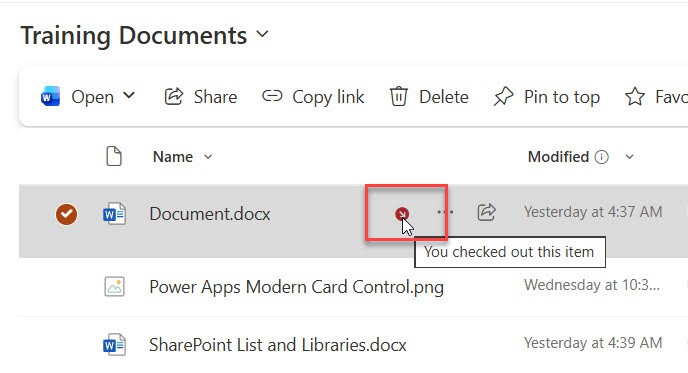
SharePoint document library allows us to set the password while sharing files. As a result, we can secure our files. In this SharePoint Online tutorial, I will show you step-by-step instructions for locking a file in a SharePoint document library using a password. Locking a file or folder is possible when we share a document library, … Read more >>>

Call to Action Web Part in SharePoint Online

SharePoint call to action web part

In SharePoint Online, the Call to Action web part helps you highlight a specific action you want users to take by combining short text, a button, and an optional background image. It is ideal for driving users to important pages, forms, documents, or external resources directly from a modern SharePoint page. What is the Call … Read more >>>

How to Use Content Types in SharePoint Online Lists (Step-by-Step Guide)

content type list

In this tutorial, you will learn what content types are in SharePoint Online, why they matter, and how to use them effectively with modern lists and libraries. The article covers creation, configuration, ordering, publishing, troubleshooting, and removal scenarios tailored for SharePoint Online. What is a Content Type in SharePoint Online? A SharePoint content type is … Read more >>>

Create an Anchor link on SharePoint Site Page

Create an anchor link to the SharePoint site page

In this tutorial, you will learn how to create and use anchor links on a modern SharePoint Online site page. Anchor links (also called page anchors or in-page links) let users jump directly to a specific section on the same page or even from another page, which is especially useful for long pages with lots of … Read more >>>

How to Use SharePoint Markdown Web Part?

SharePoint Markdown header examples

In this tutorial, learn how to use the SharePoint Markdown web part to format rich content using Markdown syntax on modern pages quickly. You will see how to add the Markdown web part, configure it, use all supported Markdown features, build a table of contents, and understand its limitations compared to the Text web part. … Read more >>>

Display Weather in SharePoint using Weather Web Part

SharePoint Online Weather Web Part

SharePoint Online Weather web part allows you to display current weather information for one or more locations on modern SharePoint pages. In this complete guide, learn what the Weather web part does, how to add and configure it, how to switch between Celsius and Fahrenheit, and significant limitations you should know before using it on … Read more >>>

SharePoint Online Document Library Web Part (Complete Guide)

SharePoint document library web part

The SharePoint Online Document Library web part lets you surface important files directly on a modern page so users can quickly find and open documents without navigating through libraries. When configured well, this web part can significantly improve document discoverability and reduce time spent searching for files in your intranet. In this tutorial, you will learn how … Read more >>>

SharePoint Online Text Web Part – How to Use

sharepoint online text web part

When building a modern SharePoint Online intranet, the Text web part is one of the simplest ways to add formatted text, quick announcements, and rich content to a page. It supports headings, links, images, and tables so that site owners can share information clearly with their team. In this tutorial, you will learn what the SharePoint Online … Read more >>>

SharePoint Online Button Web Part (Step by Step Tutorial)

SharePoint Online Button Web Part

In modern SharePoint Online sites, the Button web part is one of the simplest ways to create a clear call to action that directs users to an important link with a single click. This tutorial explains what the SharePoint Online Button web part is, when to use it, and how to configure label, link, and alignment with … Read more >>>

SharePoint Image Gallery Web Part – How to Use
SharePoint image gallery web part

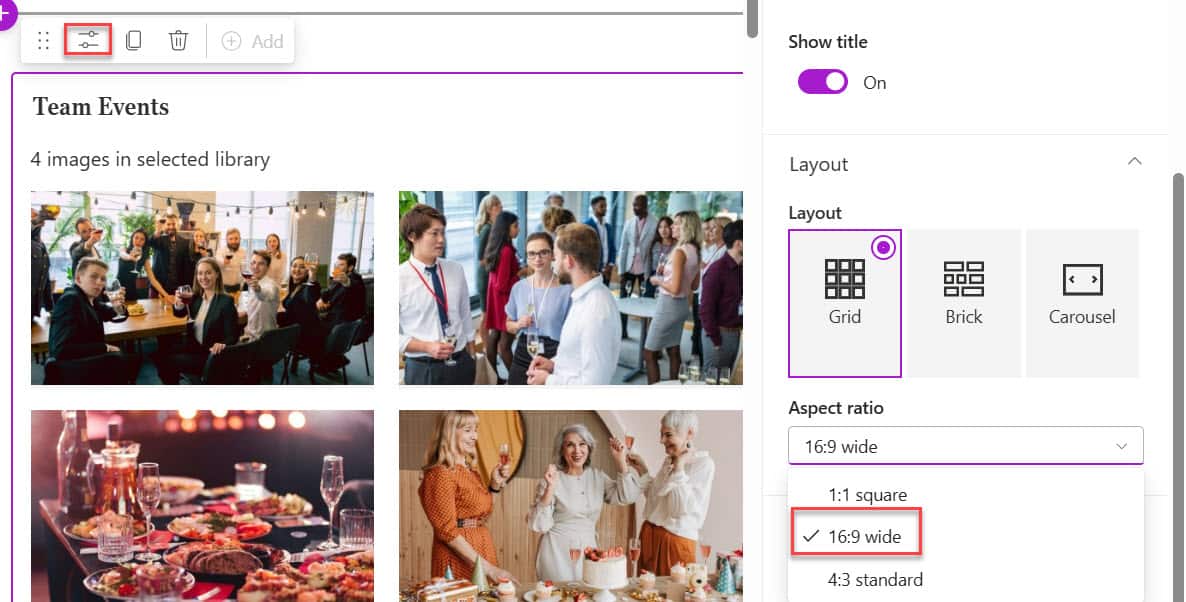
Creating an engaging intranet or team collaboration space requires visually appealing content. Recently, I was working with a client to design an attractive home page for their intranet portal. In one section, they wanted to display the team’s event photos on the home page in a visually organized manner. Microsoft SharePoint Online provides a powerful … Read more >>>

>

Build a High-Performance Project Management Site in SharePoint Online

User registration Power Apps canvas app

DOWNLOAD USER REGISTRATION POWER APPS CANVAS APP

Download a fully functional Power Apps Canvas App (with Power Automate): User Registration App

Power Platform Tutorial FREE PDF Download

FREE Power Platform Tutorial PDF

Download 135 Pages FREE PDF on Microsoft Power Platform Tutorial. Learn Now…