
Practical SharePoint & Power Platform help, written by people who build it
EnjoySharePoint is a free library of step-by-step tutorials for SharePoint Online, Power Apps, Power Automate and Power BI. Since 2011 it has helped Microsoft 365 professionals solve the exact problem in front of them.
 Founded by Bijay Kumar, 13x Microsoft MVP
Clear answers for real Microsoft 365 work
Microsoft’s documentation explains what a feature does. Real projects raise a different question: how do I make it work for this list, this flow, this error? EnjoySharePoint answers that question.
Each tutorial solves one specific task, from an OData filter query or a Power Apps formula to a Power BI measure or a SharePoint list view. It shows every step, the result you should see, and what to check when something doesn’t work. Everything is free to read, and the site is independent of Microsoft.
Who it’s for
- Business users and citizen developers automating work on SharePoint lists
- Power Platform makers and consultants building apps, flows and reports
- SharePoint site owners setting up lists, libraries, pages and permissions
- Report builders turning SharePoint and Excel data into Power BI dashboards
From SharePoint 2010 notes to a Microsoft 365 reference
EnjoySharePoint grew with the platform, from on-premises SharePoint to SharePoint Online, Microsoft 365 and the Power Platform.
EnjoySharePoint goes online
Bijay starts writing down the fixes and steps he uses in real SharePoint projects, at the time SharePoint 2010, after years with MOSS 2007.
First Microsoft MVP award
Microsoft recognises Bijay’s community work with the Most Valuable Professional award, the first of 13.
Two books with BPB Publications
“SharePoint Online Modern Experience Practical Guide” and “Microsoft Power Platform: A Deep Dive”, the second co-written with Preeti Sahu.
Power Platform grows
Preeti Sahu joins as a regular author, and the site adds hundreds of Power Apps, Power Automate and Power BI tutorials.
A reference for Microsoft 365 work
750+ step-by-step tutorials across SharePoint Online and the Power Platform, reviewed and updated as Microsoft 365 changes.
SharePoint Online and the Microsoft Power Platform
Tutorials are grouped by product. Each guide page lists every tutorial for that product by task.
Written by two Microsoft MVPs who build this every day
Every tutorial shows its author at the top and in the author box at the end, so you always know who wrote it and why they know the topic.
Bijay Kumar
Founder & editor · 13x Microsoft MVPBijay started EnjoySharePoint in 2011 to share the exact steps that solved problems in his own SharePoint projects. He still builds and tests the solutions behind the tutorials and reviews the work of other authors.
- Microsoft Most Valuable Professional (MVP), 13 times since 2014
- 18+ years in SharePoint and Microsoft 365, including roles at TCS, Hewlett Packard and KPIT
- Author of “SharePoint Online Modern Experience Practical Guide” and co-author of “Microsoft Power Platform: A Deep Dive” (BPB Publications)
- Founder of TSinfo Technologies, a SharePoint and Power Platform consulting company

Preeti Sahu
Author · Microsoft MVP (Power Apps)Preeti builds business apps and automations with Power Apps and Power Automate on top of SharePoint Online. Her tutorials come from solutions she has built, from galleries and forms to approval flows and reports.
- Microsoft Most Valuable Professional (MVP) for Power Apps, awarded in 2026
- Power Apps and Power Automate developer with 6+ years on SharePoint Online and the Power Platform
- Co-author of “Microsoft Power Platform: A Deep Dive” (BPB Publications)
- Author of 180+ EnjoySharePoint tutorials since 2023, mostly Power Apps and Power Automate
How every tutorial is made
Instructions that do not work waste your time. These are the steps every EnjoySharePoint tutorial goes through.
Start from a real problem
Topics come from questions we meet in client projects, from readers and from what people search for, such as a specific error or a flow that won’t behave.
Build it in a real tenant
Every flow, app, list and report is built and run in a working Microsoft 365 tenant before it is written up. The screenshots come from that tenant.
Write the exact steps
Each tutorial shows the settings, expressions and code in order, the result you should see, and what to check when it doesn’t work.
Review before publishing
Tutorials by other authors are reviewed by Bijay for technical accuracy before they go live.
Keep it current
When Microsoft changes a connector, action or menu, the tutorial is revised and the “Updated on” date shows when.
Ownership, funding and corrections
Who is responsible
EnjoySharePoint is run by Bijay Kumar and is part of TSinfo Technologies, the SharePoint and Power Platform consulting company he founded.
How the site is funded
Tutorials are free. The site is supported by display advertising, and advertisers have no say in what we write or recommend.
Independent of Microsoft
EnjoySharePoint is not affiliated with Microsoft. Product names are trademarks of Microsoft Corporation. The MVP award is given to Bijay personally.
Corrections
Found a step that no longer works? Email [email protected] with the tutorial link. Confirmed issues are fixed and the tutorial’s date is updated.
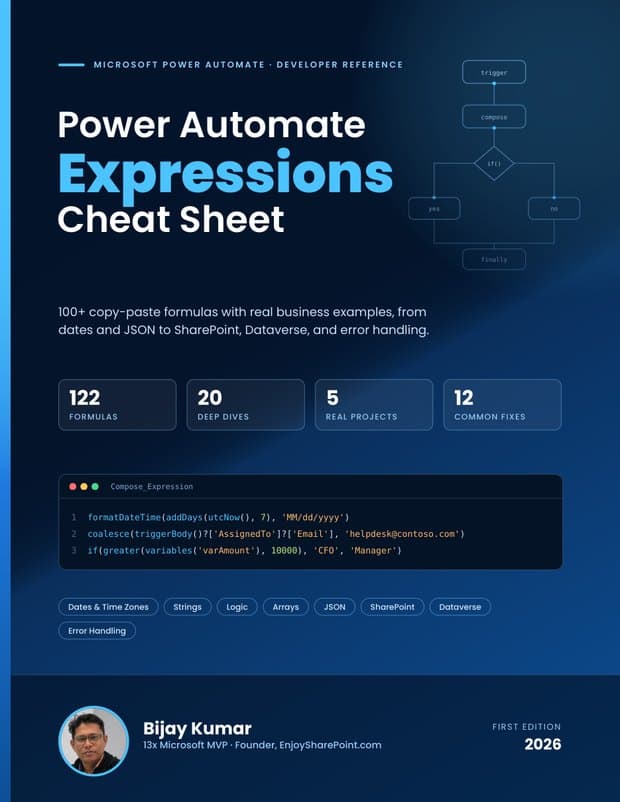
Power Automate Expressions Cheat Sheet
Bijay’s free 86-page PDF collects 122 copy-paste formulas with real business examples, from dates and JSON to SharePoint, Dataverse and error handling. Each one is explained step by step and checked against Microsoft’s function reference.
Send me the free cheat sheetQuestions, ideas or a correction?
We read every message. Tell us about a topic you want covered, an error you are stuck on, or a step that has changed.
About EnjoySharePoint
Who owns EnjoySharePoint?
EnjoySharePoint is run by Bijay Kumar, a 13-time Microsoft MVP, and is part of TSinfo Technologies, the SharePoint and Power Platform consulting company he founded.
Is EnjoySharePoint affiliated with Microsoft?
No. EnjoySharePoint is an independent website. Microsoft, SharePoint, Power Apps, Power Automate and Power BI are trademarks of Microsoft Corporation, and the MVP award is given to individuals, not to websites.
How is the site funded?
Tutorials are free to read. The site is supported by display advertising. Advertisers have no influence on what we write.
How do you make sure the tutorials are correct?
Every tutorial is built and tested in a real Microsoft 365 tenant, reviewed before publishing, and updated when Microsoft changes a feature. If a step no longer works, please tell us and we will fix it.
Can I suggest a topic or report a mistake?
Yes. Email [email protected] or use the contact page. Include the tutorial link and what you saw.