Power Automate utcNow() Function [With Different Formats]

utcNow() function in Power Automate

In a recent Power Automate project, I needed an easy way to get the current date and time to track when actions were happening. That’s when I found the utcNow() function, which is a quick way to grab the exact date and time in UTC format. In this tutorial, I will show you how to … Read more >>>

Power Automate slice() Function – How to Use

Power Automate slice() function

In this tutorial, I will explain the Power Automate slice() function, its syntax, and how to use the slice function in Power Automate with various examples. slice() Function in Power Automate The Power Automate slice() function extracts a piece of text or a part of a string from the provided text in a flow. The … Read more >>>

How to Remove Line Breaks From Text in Power Automate?

remove line breaks from text using power automate flow

I was working on a Power Automate project where the client asked me to remove the line break from a string using Automate. For example, if we have values like: Then, I had to display the strings below by removing line breaks as: This was possible using the Power Automate replace function. In this article, … Read more >>>

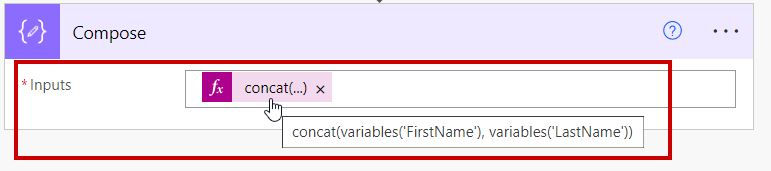
Power Automate concat() Function [With Examples]

Power Automate concat() function format

In my recent Power Automate project, I needed to combine two strings, Employee Name, and ID, into one string. I researched it and learned that Power Automate provides a useful function called concat() that helps to concatenate multiple strings into a single string. In this post, I will explain the Power Automate concat function, its … Read more >>>

How to Reassign An Approval Using Power Automate?

Reassign An Approval Using Invoke an HTTP request action in Power Automate

When working in Power Automate, one of my team members recently asked if we could reassign approval to someone else. This question got me curious. After some research and testing, I learned that we can reassign an approval by invoking an HTTP request in Power Automate. In this tutorial, I will explain how to reassign … Read more >>>

How to Reverse an Array in Power Automate?

Reverse an array using Power Automate

A few days ago, one of my team members asked me to reverse an array using Power Automate. I used the Power Automate reverse() function, which changes the arrangement of array elements in reverse order. In this tutorial, I will explain how to reverse an array in Power Automate and show how to reverse an … Read more >>>

Power Automate indexOf() Function | Power Automate lastIndexOf()

String Function indexOf() in Power Automate flow

In this tutorial, I will explain the Power Automate indexOf() function, its syntax, and how to use the indexOf function in Power Automate. Additionally, we will discuss the Power Automate LastIndexOf function and its uses with various examples. Power Automate indexOf() Function Power Automate indexOf() function returns the position of the first occurrence of a … Read more >>>

How to Get Approval Comments Using Power Automate?

How to Get Approval Comments Using Power Automate

In Power Automate, we set up an approval process for our organization where team members review and approve documents or requests. While the standard approved or rejected status is helpful, sometimes the reason an item was approved or rejected is just as important. For example, your marketing team submits a campaign proposal for approval. The … Read more >>>

>

Build a High-Performance Project Management Site in SharePoint Online

User registration Power Apps canvas app

DOWNLOAD USER REGISTRATION POWER APPS CANVAS APP

Download a fully functional Power Apps Canvas App (with Power Automate): User Registration App

Power Platform Tutorial FREE PDF Download

FREE Power Platform Tutorial PDF

Download 135 Pages FREE PDF on Microsoft Power Platform Tutorial. Learn Now…