Skip to content
EnjoySharePoint
EnjoySharePoint
  • Home
  • Start Here
  • Blogs
    • SharePoint Tutorials
    • Power Apps Tutorials
    • Power Automate Tutorials
    • Power BI Tutorials
  • Downloads
  • Live Training
Blog

Latest SharePoint & Power Platform Tutorials (Page 24)

The most recently updated SharePoint, Power Apps, Power Automate and Power BI tutorials from EnjoySharePoint. Every tutorial is tested in a real Microsoft 365 tenant.

SharePoint 105Power Automate 318Power Apps 207Power BI 131Start here

How to Get More Than 100 Items with Get Items in Power Automate (and Past 5,000)

Updated on September 26, 2026 by Bijay Kumar
get items limit power automate

A few months ago, a sales manager asked me why their monthly report flow had “lost” most of the orders. The flow read a SharePoint list of 328 orders with Get items, added up the amounts and emailed a summary, and the total was far too low. There was no error in the run history. … Read more >>>

How to Add Hyperlinks to SharePoint List Items Using Power Automate

Updated on September 26, 2026 by Bijay Kumar
Add Hyperlinks to SharePoint List Items in Power Automate

One of my clients tracks Power Platform training in a SharePoint list. Each time an employee enrolls in a course, a new item is added with their name and the course they chose. For a long time, someone in HR then had to find the right course material, copy its address and paste it into … Read more >>>

How to Set a Default Value in a Power Apps Data Card (Text, Choice, Person, Date)

Updated on September 26, 2026 by Bijay Kumar
Power Apps set defaultvalue in Dropdown datacard

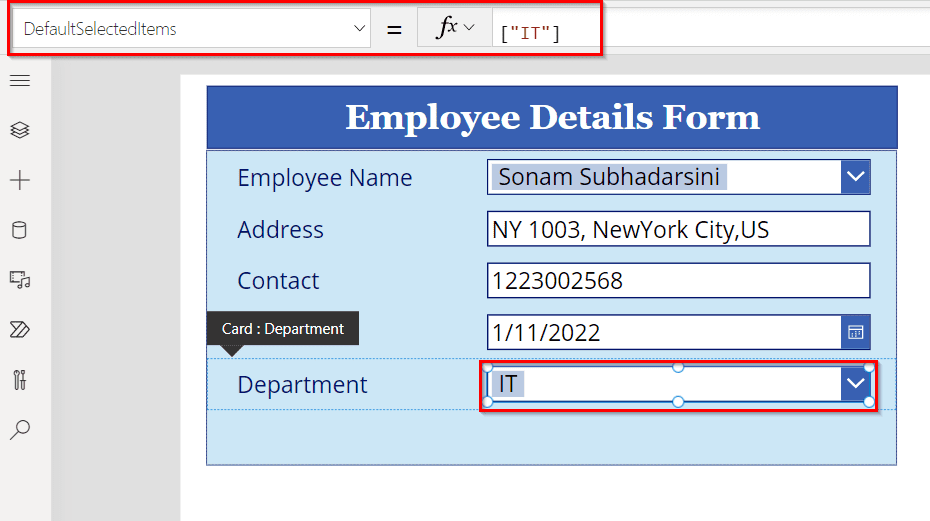
I once built a Power Apps form for an HR team that onboarded a handful of new starters every week. On the first day of testing, one of the HR officers pointed out that they were typing exactly the same things into every new record: the office address, the IT department, today’s date and their … Read more >>>

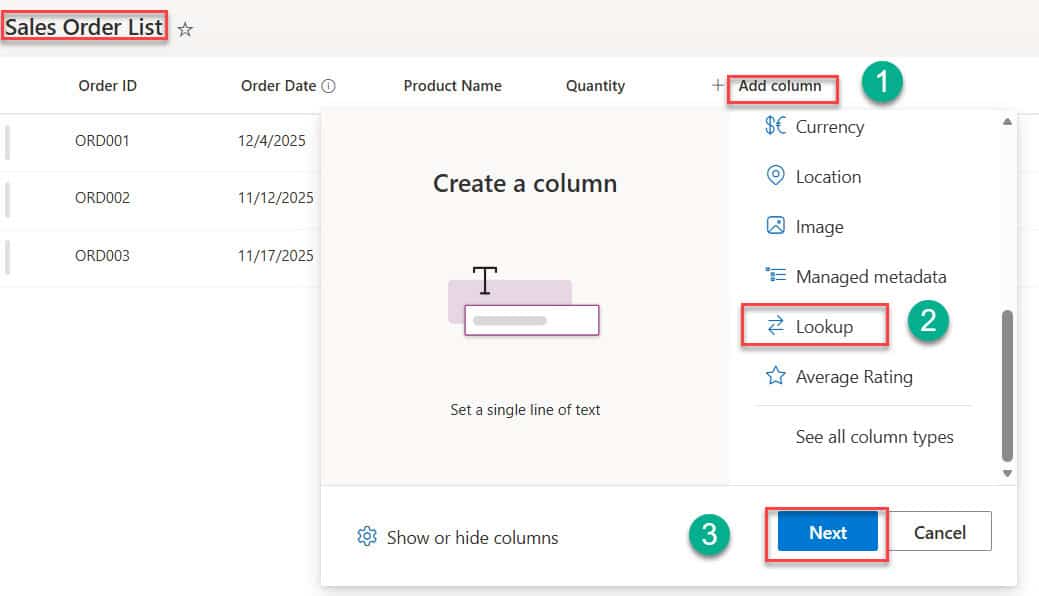
SharePoint Lookup Column: How to Create and Use It (Step by Step)

Updated on September 26, 2026 by Bijay Kumar
Create and Use Lookup Column in SharePoint Online List

One of the first SharePoint projects I helped with was a small sales team that tracked orders in a list. Every order had the customer’s name, email and phone number typed in by hand, so the same customer appeared in a dozen slightly different spellings, and when a customer changed their email address, someone had … Read more >>>

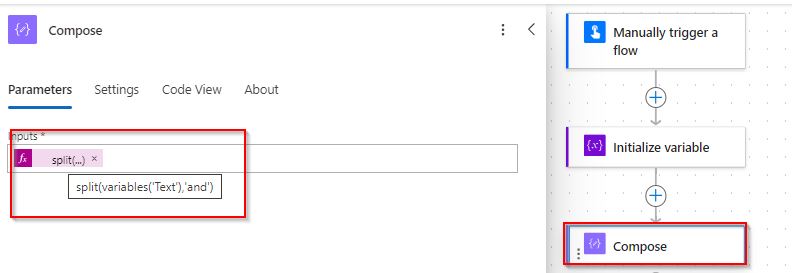
Power Automate split() Function: Split a String Into an Array (With Examples)

Updated on September 26, 2026 by Bijay Kumar
Power Automate split string

If I look back at the flows I’ve built over the past few years, a surprising number of them start by breaking a piece of text apart. A Microsoft Forms question returns several choices in one comma-separated answer. A SharePoint column holds email addresses separated by semicolons. An email body needs to be processed line … Read more >>>

Fix “Unable to Process Template Language Expressions” in Power Automate

Updated on September 26, 2026 by Preeti Sahu
Unable to process template language expressions in action 'Compose' inputs at line '0' and column '0'

If you build flows in Power Automate for long enough, you’ll meet this error. It usually appears on a flow that worked perfectly in testing, runs fine for a few days, and then suddenly fails on one particular item: The first half of the message sounds alarming, but it’s the same for every version of … Read more >>>

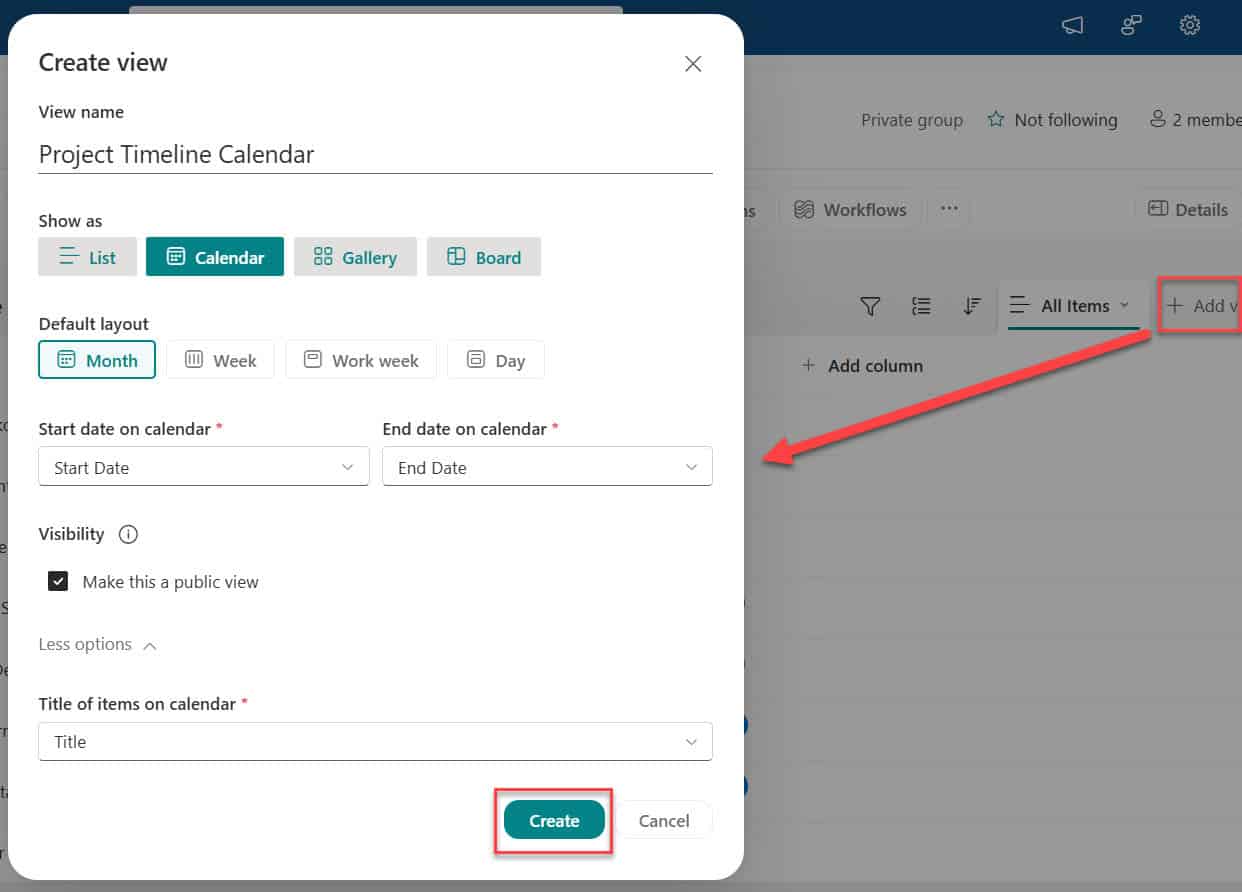
SharePoint List Calendar View: [Filter, Color Coding & Conditional Formatting]

Updated on September 25, 2026 by Bijay Kumar
SharePoint list calendar view

Is your SharePoint list full of dates and hard to understand at a glance? When everything appears as rows of data, it becomes difficult to track deadlines, project timelines, events, or schedules. Quick answer: Open the list, select + Add view, choose Calendar under Show as, pick the Start date and End date columns and … Read more >>>

SharePoint Organization Chart Web Part: How to Add It, Fix It and Build a Custom Org Chart

Updated on September 25, 2026 by Bijay Kumar
sharepoint org chart web part

A client of mine had a simple problem: new employees kept asking who they should go to for approvals, and HR spent a surprising amount of time emailing out the same org chart diagram, which was always slightly out of date. We fixed it by adding SharePoint’s Organization chart web part to the intranet home … Read more >>>

How to Insert a Row Into a Data Table in Power Automate Desktop

Updated on September 25, 2026 by Bijay Kumar
Insert row into data table Power Automate desktop

Most desktop flows I build end up working with a data table at some point. It might hold rows read from an Excel file, a table scraped from a web page, or the results of a SQL query. And sooner or later, the flow needs to add a row to that table: a new record, … Read more >>>

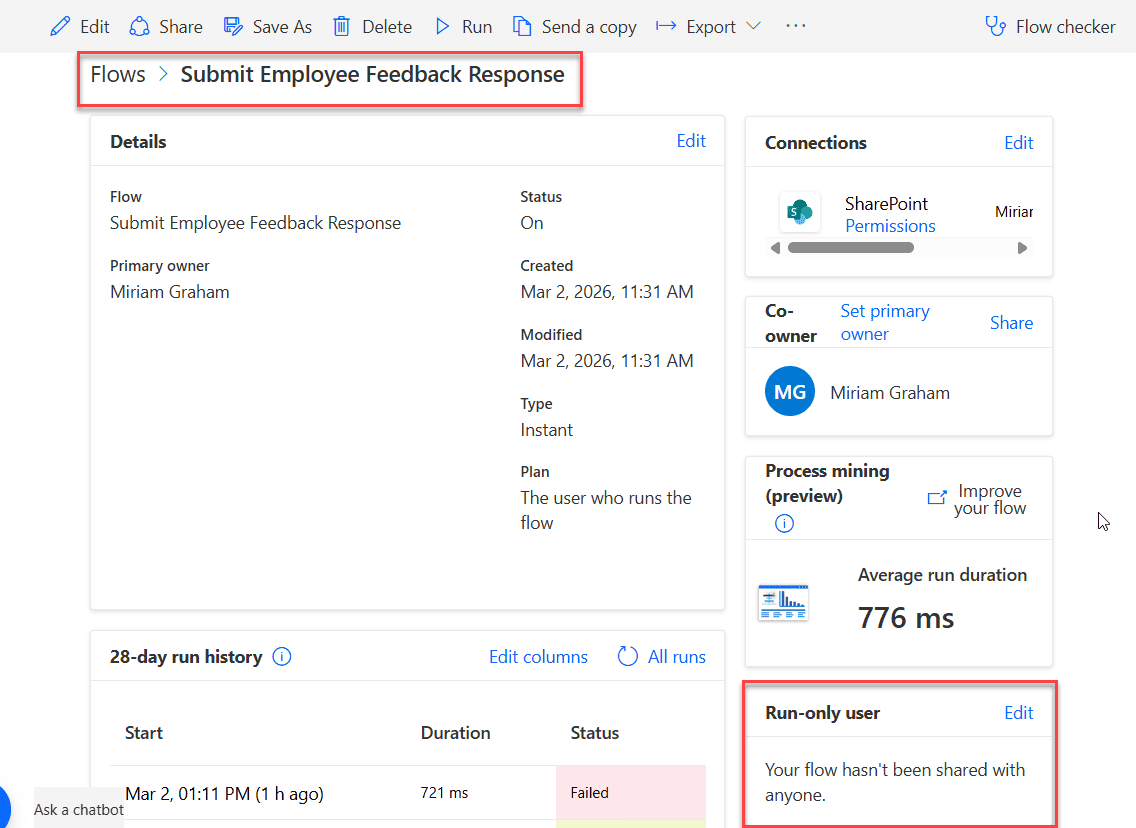
Power Automate Run-Only Users: Let People Run a Flow Without Edit Permissions

Updated on September 25, 2026 by Bijay Kumar
power automate run only user feature

Last year we built a travel request app for a client in Power Apps, with every request stored in a SharePoint list. Employees and a handful of external partners needed to submit requests, but the client didn’t want to give all of them Edit permission on the list. With Edit access, anyone could change or … Read more >>>

Older posts
Newer posts
← Previous Page1 … Page23 Page24 Page25 … Page77 Next →
Free videos Subscribe to Our YouTube Channel Watch SharePoint, Power Apps and Power Automate tutorials step by step with Bijay Kumar, Microsoft MVP. 20K+ subscribers430+ videos Subscribe on YouTube
  • About Us
  • Contact Us
  • Privacy Policy
  • Terms of Use
© 2026 EnjoySharePoint.com

Get the FREE Power Automate Expressions Ebook

122 copy-paste formulas with real examples, sent straight to your inbox.

No spam. Unsubscribe anytime.

Check your inbox

Your free Power Automate Expressions Cheat Sheet is on its way. Can't find it in a few minutes? Look in your Promotions or Spam folder.

Sent to