Power Automate Approval Reminder: 3 Ways to Remind Approvers

Reminder approval Power Automate

Approvals often stall because the approver misses the first email. In this tutorial, I’ll show you three ways to handle that in Power Automate: remind the approver when an approval isn’t answered in time, send daily reminders for requests that are still pending, and notify the requester when a decision is made. Quick answer: Set … Read more >>>

How to Concatenate Columns in Power Apps Combo Box?

concatenate sharepoint list columns into power apps combo box

A few weeks ago, I created a Power Apps form for event registrations that allows users to register for available events. I was required to concatenate the event title and date in a Power Apps combo box to select events in the form. This lets users see two field details quickly within this single combo … Read more >>>

Power Apps vs Power Automate: Complete Guide

Power Apps Vs Power Automate

Recently, while discussing a Power Platform project with a client, the client wanted to know the difference between Power Apps and Power Automate. So, I thought I would write a complete tutorial on “Power Apps vs. Power Automate.” Quick answer: Power Apps is for building apps that people open and use, such as forms, galleries … Read more >>>

Events Web Part in SharePoint Online

Events Web Part in SharePoint Online

The Events web part is a built-in SharePoint Online web part that lets you display upcoming events, meetings, webinars, workshops, or other scheduled activities directly on a modern SharePoint page. Quick answer: Edit the page, select +, search for Events and add the web part, then republish. The web part keeps its events in an … Read more >>>

Power Automate get items filter query equals null | Power Automate get items filter query not equal null

Power Automate get items filter query equals null

If you filter SharePoint list items where the column value is equal to null in Power Automate, check out this complete tutorial. Here, I will explain examples of “Power Automate get items filter query equals null‘ and “Power Automate get items filter query not equal null“. Quick answer: In the Get items action’s Filter Query, … Read more >>>

Power Automate isInt() Function + Examples

Power Automate isInt() Function

In this tutorial, I will explain the Power Automate isInt() function, its syntax, and how to use it with various examples. Quick answer: isInt(‘<string>’) returns true when the text is a whole number, such as ’25’, and false for text like ‘2.5’ or ‘abc’. Use it in a Condition before converting the value with int(), so … Read more >>>

Add Attachments Column in SharePoint Online List (Enable, Disable, Hide)

Add Attachments Column in SharePoint Online List

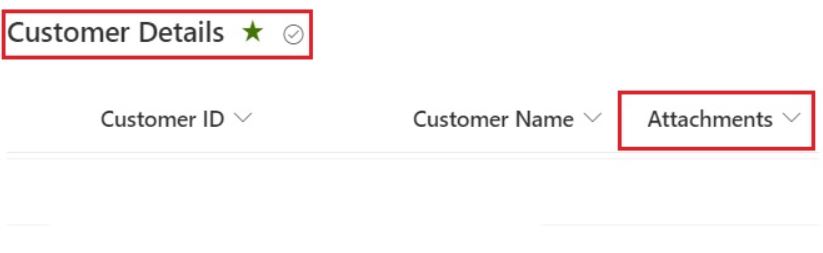
If you work with SharePoint lists, sooner or later you’ll need to let users upload supporting files – invoices, screenshots, approvals, or any other documents – directly against list items. In this tutorial, we’ll walk through everything about the Attachments column in a SharePoint Online list: how to add it to a view, show or hide it … Read more >>>

No Item to Display in Power Apps – How to Solve

Power Apps no item to display in preview

While working in Power Apps, I encountered an error message, “No item to display,” when submitting the edit form. Quick answer: The message appears when an edit form is in Edit mode but has no record to show, which often happens right after a submit. Set the form’s DefaultMode to FormMode.New, or use SubmitForm(Form1); NewForm(Form1) … Read more >>>

Power Automate Wait Timer

Power Automate Wait Timer

In this Power Automate tutorial, I will show you how to use the wait timer in Power Automate. Quick answer: In a Power Automate cloud flow, use the Delay action from the Schedule connector and set a count and unit, for example 10 seconds or 1 minute. To wait until a date and time, use … Read more >>>

SharePoint Image Gallery Web Part – How to Use

SharePoint image gallery web part

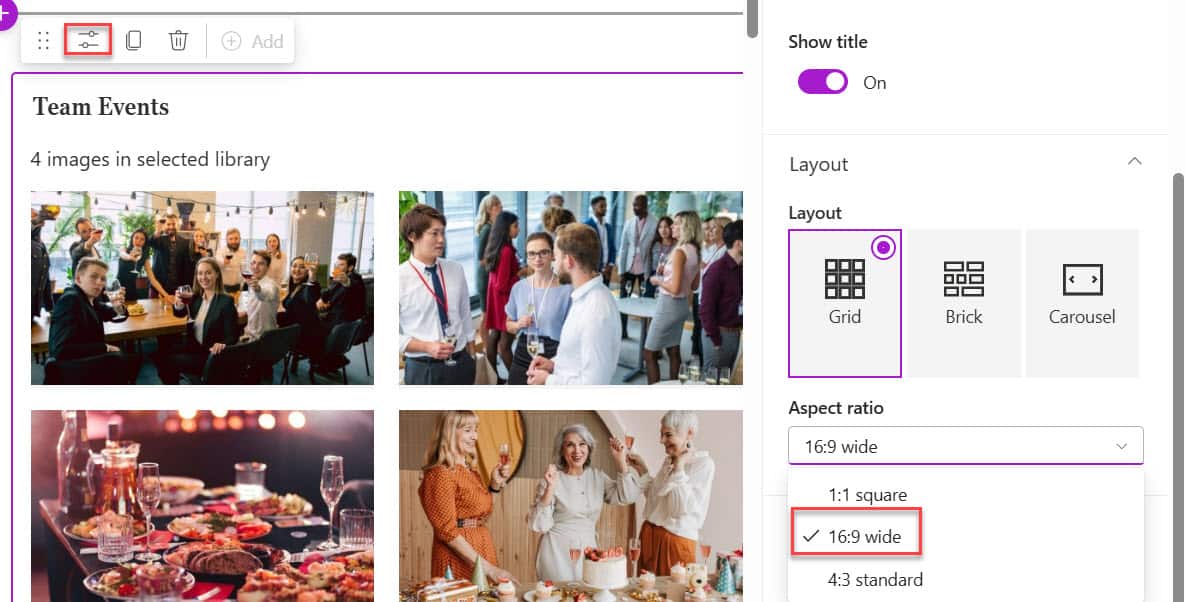
Creating an engaging intranet or team collaboration space requires visually appealing content. Recently, I was working with a client to design an attractive home page for their intranet portal. In one section, they wanted to display the team’s event photos on the home page in a visually organized manner. Quick answer: Edit the SharePoint page, … Read more >>>