Power Automate Trigger Conditions Examples

trigger conditions in power automate flow

Recently, while building a flow in Power Automate, I ran into a situation that perfectly explains why trigger conditions are so powerful. I was working on a SharePoint requirement in which a document library contained multiple folders and subfolders. Each folder had a metadata column called Region, and the business requirement was simple on paper: … Read more >>>

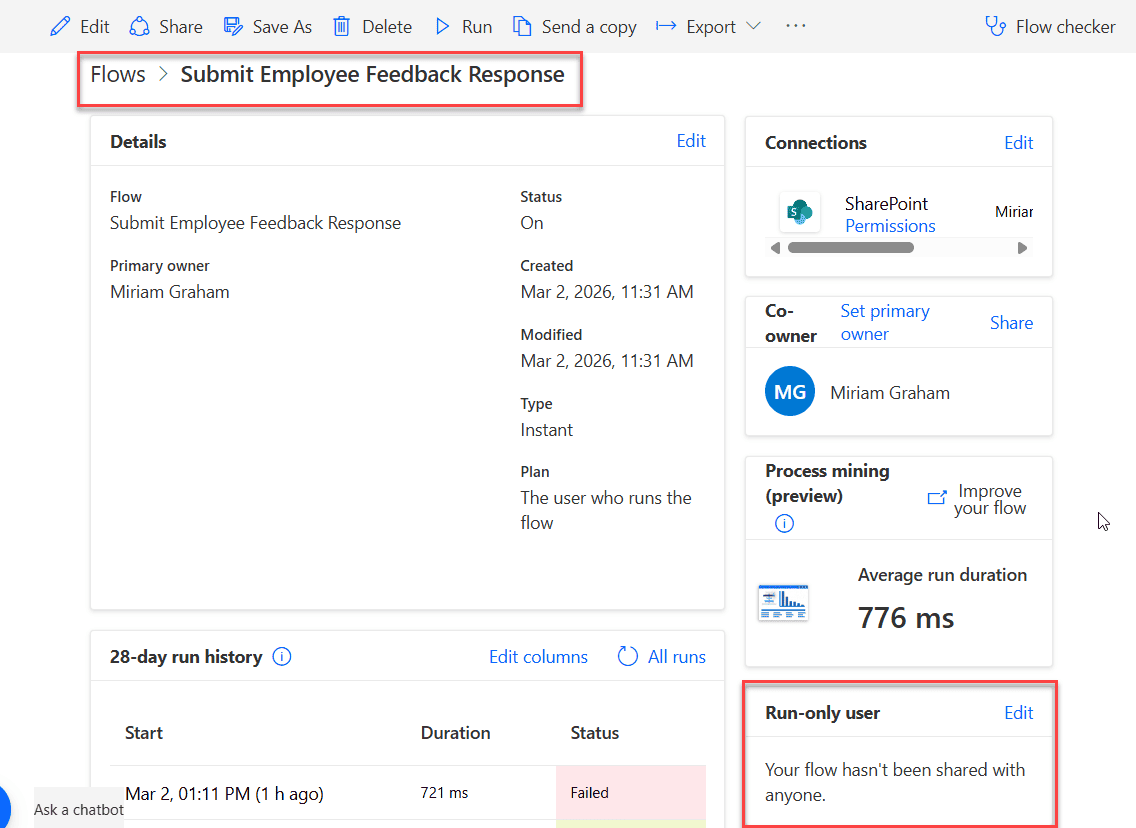
Bypass User Permissions in Power Automate Using Run-Only Users

power automate run only user feature

If you have ever built flows in Power Automate and thought, “How can other people run this flow without giving them edit access?”, then this article is for you. Recently, we built a Travel Management application using a Power Apps canvas app. For automation, we used Power Automate, and for storing data, we used SharePoint … Read more >>>

Power Automate Send Reminder Emails

Send Automated Reminder Emails with Power Automate Scheduled Flow

Last week, while working with the Expense Claims Power Apps application, I received a requirement to send reminders to approvers if any expense claims status is in progress and the due date is today or within the current day. To achieve this, I used the Power Automate scheduled flow. In this article, I will explain … Read more >>>

Power Apps Bulk Approvals Using Power Automate

Power Automate approval workflow multiple approvers

Recently, while working on the Power Apps Expense Claims application, we needed to create a screen that allows approvers to perform bulk approvals. Due to some restrictions on the visibility of the data source to users in Power Apps and performance issues, we included a Power Automate flow to achieve this. In this article, I … Read more >>>

How to Upload File in SharePoint Using Power Automate Desktop?

Upload File in SharePoint using Power Automate Desktop

A client recently reached out with a requirement in Power Automate Desktop. They needed to upload an Excel file containing employee details from their local system to a SharePoint document library, along with the associated metadata. Additionally, they wanted the entire process to be automated using Power Automate Desktop. In this tutorial, I will explain … Read more >>>

Concatenate Strings Using Power Automate Desktop

Power Automate Desktop Concatenate String

A client recently contacted us about an issue based on a Data table in Power Automate Desktop. They have two data tables on ‘Project details’. One table contains all project details, while the second table includes only the Project Name & Project Start Date. Their requirement is to combine the values of the second data … Read more >>>

Power Automate Desktop Text Actions [With Examples]

Power Automate Desktop Text Actions

Power Automate Desktop provides various text actions that allow to manipulate, extract, and work with text in a variety of ways. In this tutorial, I will explain various Power Automate Desktop text actions with examples. I will cover the following desktop actions: Text Actions in Power Automate Desktop Here, I will explain a list of … Read more >>>

How to Get Values from Data Table using Power Automate Desktop?

Retrieve Data Table Values Power Automate Desktop

A client has recently contacted us regarding their requirement for a data table in Power Automate Desktop, as they have a data table with invoice processing details. From the data table, they wanted to get the Invoice items whose status value is ‘Pending‘. However, unfortunately, there is no dynamic content available to retrieve rows from … Read more >>>

>

Build a High-Performance Project Management Site in SharePoint Online

User registration Power Apps canvas app

DOWNLOAD USER REGISTRATION POWER APPS CANVAS APP

Download a fully functional Power Apps Canvas App (with Power Automate): User Registration App

Power Platform Tutorial FREE PDF Download

FREE Power Platform Tutorial PDF

Download 135 Pages FREE PDF on Microsoft Power Platform Tutorial. Learn Now…