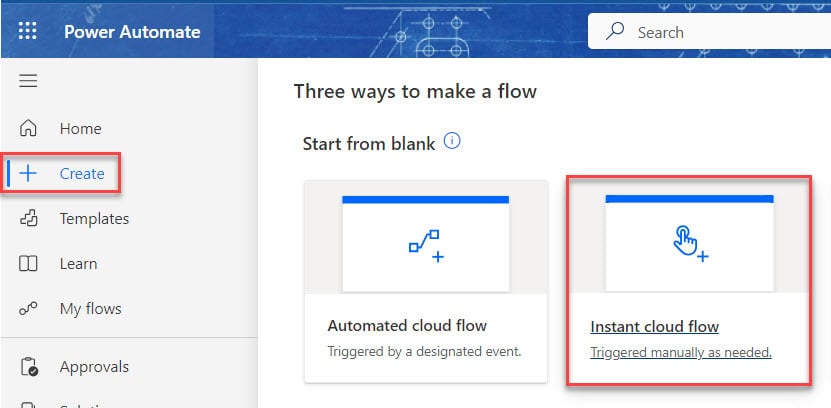
How to Create an Instant Cloud Flow in Power Automate?

Create instant flows in Power Automate

If you are a beginner in Power Automate and want to learn how to create flows that let you automate tasks and processes with a single click, you should explore Instant Cloud Flow. Unlike automated flows that run based on specific triggers, Instant Cloud Flows are triggered manually by the user. This Power Automate tutorial … Read more >>>

How to Convert PDF to Base64 Using Power Automate?

Convert PDF file to Base64 using Power Automate

I recently received a request to convert PDF files to Base64 using Power Automate. The requirement is that when a user uploads a PDF file to a SharePoint Document library, that specific PDF should be converted into Base64 format and stored as a text file in the same library. This Power Automate Tutorial will show … Read more >>>

How to Create an Automated Cloud Flow in Power Automate?

Create a cloud flow in Power Automate

If you are a beginner in Power Automate and want to learn how to create flows that work automatically based on specific events or conditions, you should explore Automated Cloud Flows. In this tutorial, we will learn about Power Automate Cloud Flow and how to create an automated cloud flow in Power Automate. What is … Read more >>>

Power Automate Switch Case [How to Use]

Power Automate Switch Case

Recently, while working on a Power Automate flow for a client, where I needed to match a value with a list of values and return the first matching value. Then, I found that the Power Automate Switch Case is the best option. Let’s discuss this. Power Automate switch case Power Automate Switch control allows executing … Read more >>>

Power Automate addDays() Function + Examples

Power Automate addDays() Function

Have you ever used the addDays() function in Power Automate? This tutorial will explain the Power Automate addDays() function and its syntax. Also, I will discuss how to use Power Automate addDays() and some more examples like below: Power Automate addDays() Function Power Automate addDays() function helps add a given number of days to the … Read more >>>

Power Automate dateDifference() Function

Power Automate difference between two dates

While experimenting with Power Automate Date, I had to determine the date and time difference between two timestamps. In that case, I have used the Power Automate dateDifference() function. This complete tutorial will let you understand what the dateDifference() function in Power Automate, its syntax, and how to use it with various formats like: Power … Read more >>>

Unable to process template language expressions in action inputs at line ‘0’ and column ‘0’ in Power Automate

Unable to process template language expressions in action 'Compose' inputs at line '0' and column '0'

In this tutorial, I will show you how to fix the error”Unable to process template language expressions in action ‘Compose’ inputs at line ‘0’ and column ‘0’: ‘The template language function ‘addDays’ expects its second parameter to be an integer. The provided value is of type ‘Float’. Unable to process template language expressions in action … Read more >>>

How to Convert CSV to Excel in Power Automate?

Import CSV to Excel using Power Automate

In this Power Automate tutorial, we will learn how to convert CSV to Excel in Power Automate. CSV in Power Automate usually refers to Comma-Separated Values, a plain text format used to represent tabular data. Convert CSV to Excel in Power Automate Let’s see how to import CSV to Excel using Power Automate. To work … Read more >>>

>

Build a High-Performance Project Management Site in SharePoint Online

User registration Power Apps canvas app

DOWNLOAD USER REGISTRATION POWER APPS CANVAS APP

Download a fully functional Power Apps Canvas App (with Power Automate): User Registration App

Power Platform Tutorial FREE PDF Download

FREE Power Platform Tutorial PDF

Download 135 Pages FREE PDF on Microsoft Power Platform Tutorial. Learn Now…