The Best Way to Display Dataverse Choices in Power Apps Gallery

How to get Dataverse Choice values in Power Apps Gallery Control

If you have a Dataverse multi‑select choice column and try to show it directly in a Power Apps gallery, you quickly hit an error. You set a label to ThisItem.YourChoiceColumn, and Power Apps tells you that the formula uses scope that is not supported. That happens because a multi‑select choice is actually a table of records, … Read more >>>

Patch Dataverse Choice Column in Power Apps [Single & Multi-choices]

Patch Dataverse Choice Column in PowerApps

If you work with Dataverse and Power Apps Canvas apps, you will very often need to save or update choice values from your app back to a Dataverse table. In this Power Apps tutorial, we will walk through everything you need to know to patch Dataverse choice columns from Power Apps, using simple examples and clear explanations. … Read more >>>

How to Patch Power Apps Date Picker [SharePoint, Excel]

Patch a SharePoint Date Column from Power Apps date picker

When you build real apps in Power Apps, you almost always end up working with dates. You may want to save a project start date, a due date, or the exact date and time when someone submits a form. In this article, we will see how to patch a Power Apps Date Picker to SharePoint … Read more >>>

How to Patch Power Apps Combo Box [With Examples]

PowerApps patch combo box value to SharePoint list

When you start building real apps in Power Apps, the combo box and the Patch function quickly become two of your best friends. They give you a lot of control over how users select data and how that data is saved to SharePoint or collections. But they can also be a bit confusing, especially when … Read more >>>

Power Apps Stuck On “Getting your data” [Solved]

Getting your data Power Apps

When a Power Apps form gets stuck on “Getting your data…“, the data is usually sent to SharePoint, but the form never returns for the next entry. Refer to the screenshot below: In this tutorial, we will fix that step by step using a real SharePoint list example and clean, simple Power Apps formulas. Scenario: … Read more >>>

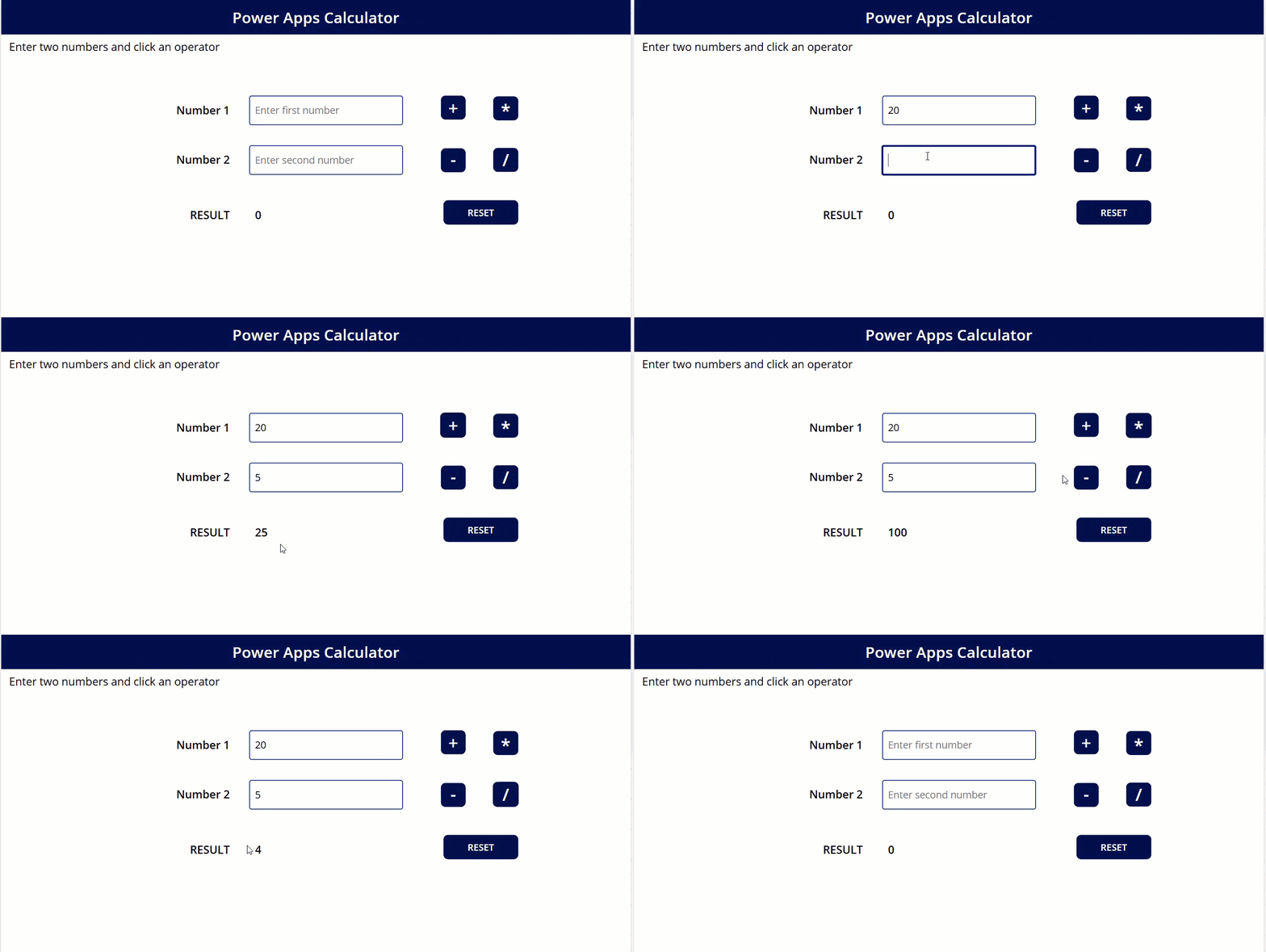
Create Calculator in Power Apps [Step By Step]

Create Calculator in Power Apps

If you build business apps in Power Apps, adding a simple calculator inside the app can save your users a lot of time. They don’t have to switch to the Windows calculator or their mobile phone every time they want to do a quick calculation. In this tutorial, we will build a clean, user‑friendly calculator … Read more >>>

No Item to Display in Power Apps – How to Solve

Power Apps no item to display in preview

While working in Power Apps, I encountered an error message, “No item to display,” when submitting the edit form. In this Power Apps article, I will explain why a Power Apps error, ‘No item to display‘, occurs during item submission, and how to resolve it. Refer to the error image below. Error: No item to … Read more >>>

Power Apps Dropdown Values Not Showing [How to Overcome]

Power Apps Dropdown All Values Not Showing

When working with Power Apps dropdown controls, you might notice that some SharePoint column values don’t show up as expected. This usually happens because not all SharePoint column types are handled the same way in Power Apps. Common column types that can cause issues include: Don’t worry, this is a common problem, and it’s fixable. … Read more >>>

Expected Record Value in Power Apps [Solved]

Power Apps combo box default expected record value

Recently, while working with the Power Apps ComboBox control, I encountered a challenging issue: the ExpectedRecord value. I researched and found a very tricky solution that I will share with you. In this tutorial, I will explain how to fix the ‘Expected Record Value’ error in Power Apps, which usually occurs when working with a Combobox control. … Read more >>>

>

Build a High-Performance Project Management Site in SharePoint Online

User registration Power Apps canvas app

DOWNLOAD USER REGISTRATION POWER APPS CANVAS APP

Download a fully functional Power Apps Canvas App (with Power Automate): User Registration App

Power Platform Tutorial FREE PDF Download

FREE Power Platform Tutorial PDF

Download 135 Pages FREE PDF on Microsoft Power Platform Tutorial. Learn Now…