Enable Multiple Selections in Power BI Slicer [Complete Guide]

Paste Multiple Values into a Power BI Slicer

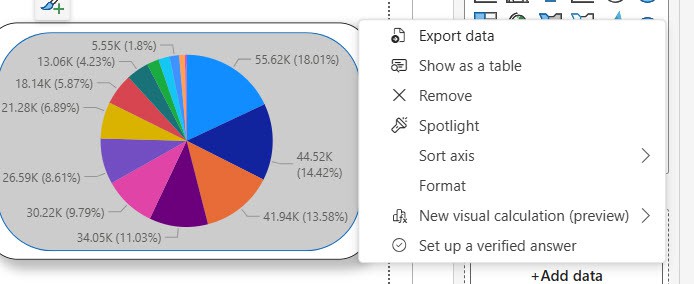
If you’ve ever clicked a second value in a Power BI slicer and watched your first selection disappear — you’re not alone. That’s the default behavior, and it trips up almost everyone when they’re starting out. In this tutorial, I’ll walk you through every way to enable multiple selections in Power BI slicers — from … Read more >>>

Power Automate: How to Check If a Date Is Blank (4 Methods)

Check if date is empty in SharePoint JSON formatting in Power Automate

Checking if a date field is blank in Power Automate sounds straightforward — until your flow crashes, returns unexpected results, or silently passes the condition when it shouldn’t. The reason this trips up so many developers is that blank dates behave differently depending on where your date value comes from — a SharePoint list, a Microsoft Forms … Read more >>>

Send Table Reports From Power Apps to Email Using Power Automate

Automatically Send Table Reports from Power Apps using Power Automate

When building business apps in Power Apps, one requirement keeps coming up: sending reports by email. Sometimes it’s a payroll report, sometimes a leave summary, and sometimes a list of submitted records that managers need to review. In many organizations, finance or HR teams still rely heavily on email reports to track data. Recently, I … Read more >>>

SharePoint Online List View: A Complete Guide (With Examples)

How to Create a View in a SharePoint List

If you’ve ever opened a SharePoint list and thought, “I wish I could just see the items relevant to me,” list views are exactly what you need. A SharePoint Online list view is simply a saved way of displaying your list data. You control which columns appear, how items are sorted, what gets filtered, and even how … Read more >>>

What Is a SharePoint List? A Complete Guide With Examples

what is SharePoint list for beginners

If you’ve ever used Microsoft Excel to track a list of employees, projects, tasks, or anything else — you already know the basic idea behind a SharePoint List. It’s structured data, stored in rows and columns, but instead of sitting on your desktop in a file nobody else can access, it lives in SharePoint, where … Read more >>>

>

Build a High-Performance Project Management Site in SharePoint Online

User registration Power Apps canvas app

DOWNLOAD USER REGISTRATION POWER APPS CANVAS APP

Download a fully functional Power Apps Canvas App (with Power Automate): User Registration App

Power Platform Tutorial FREE PDF Download

FREE Power Platform Tutorial PDF

Download 135 Pages FREE PDF on Microsoft Power Platform Tutorial. Learn Now…