the ‘inputs parameters’ of workflow operation ‘Send_an_email_(V2)’ of type ‘openapiconnection’ is not valid

the 'inputs parameters' of workflow operation 'Send_an_email_(V2)' of type 'openapiconnection' is not valid

In this Power Automate tutorial explains how to fix the error, the ‘inputs parameters’ of workflow operation ‘Send_an_email_(V2)’ of type ‘openapiconnection’ is not valid. the ‘inputs parameters’ of workflow operation ‘Send_an_email_(V2)’ of type ‘openapiconnection’ is not valid We have a SharePoint list named ‘Baked Goods’ with different types of columns like : Data Type Column … Read more >>>

Power Automate odata date filter last 30 days examples

Power Automate odata date filter last 30 days

If you are looking for odata date filter expressions in Get Items in Power Automate, check out this complete tutorial. Here, I have taken two real examples of the Power Automate odata date filter last 30 days and the Power Automate odata date filter for the next 30 days. Recently, I was working on a … Read more >>>

How to Convert String to Float in Power Automate?

Convert String to Float in Power Automate

Do you need to convert a string to float in Power Automate? Then, this Power Automate tutorial will help you to know how to convert String to Float in Power Automate. Scenario: Sometimes user enters a float number value in a string data type; the Power Automate flow is considered a text value and not … Read more >>>

Power Automate: The credentials for this connection do not have access to. Please try using a different location or account

Power Automate The credentials for this connection do not have access to

In this Power Automate tutorial, we will see how to fix this error: ‘The credentials for this connection do not have access to‘, please try using a different location or account’. Recently, when I was creating a connection with the File system actions in Power Automate, I came across an error ‘the credentials for this … Read more >>>

How to Connect Power Automate Desktop to Cloud using Direct connectivity?

Connect Power Automate Desktop to Cloud using Direct connectivity

Direct connectivity is the way of connection where a machine connects directly to the cloud. In this Power Automate Desktop tutorial, we will see how to connect Power Automate Desktop with Power Automate Cloud using Direct connectivity. The On-premises data gateway for Power Automate Desktop is deprecated, which is mostly used to connect the desktop … Read more >>>

How to do Error Handling in Power Automate?

Error Handling in Power Automate

Do you want to learn about error handling in Power Automate flow? In this flow tutorial, I will explain exception handling in Power Automate cloud flow. I will show you how to use try catch finally in Power Automate. Finally, I will show you how to do error handling in apply to each in Power … Read more >>>

How to Run a Query against a Dataset Using Power Automate?

How to Run a query against a dataset using Power Automate flow

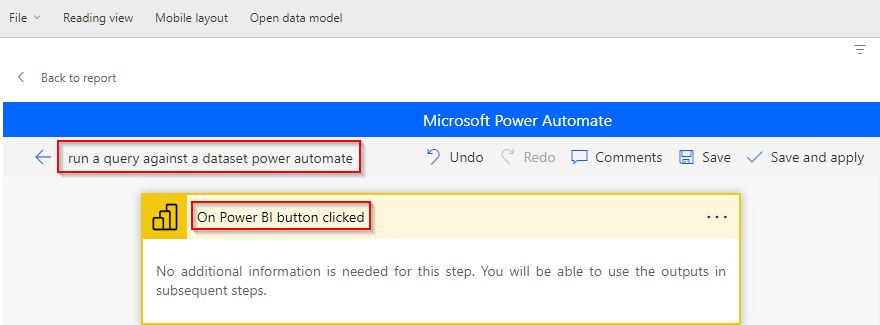
If you have a requirement to run a query against a dataset using Power Automate, then this Power Automate tutorial is for you. Yes, running a query against a large dataset from the Power BI service is possible. Follow the steps explained in this tutorial, I’m confident you will also run a query against a … Read more >>>

Send 7 or 14 Day Task Due Reminder Emails in Power Automate

send 7 or 14 day task due reminder emails using power automate

Here is the complete tutorial for sending a Power Automate Send 7 or 14 Day Task Due Reminder Emails. I have explained how to send email reminders to multiple users from a SharePoint list using Power Automate. Scenario: Recently, I got a requirement to send 7 or 14-day task email reminders for the assigned task users … Read more >>>

How to Convert time zone in Power Automate?

Convert time zone in Power Automate

In this Power Automate tutorial, we will see how to convert time zone in Power Automate with different examples. Also, we will cover the below headings: Scenario: The flow triggers manually and requests the user to select the trigger date; based on that, we will convert time zones in two different ways. They are, Follow … Read more >>>

>

Live Webinar: Quiz Application using SharePoint Framework (SPFx)

Join this free live session and learn how to build a Quiz application using SharePoint Framework (SPFx).

šŸ“… 2nd June 2026 – 10:00 AM EST | 7:30 PM IST

Build a High-Performance Project Management Site in SharePoint Online

User registration Power Apps canvas app

DOWNLOAD USER REGISTRATION POWER APPS CANVAS APP

Download a fully functional Power Apps Canvas App (with Power Automate): User Registration App

Power Platform Tutorial FREE PDF Download

FREE Power Platform Tutorial PDF

Download 135 Pages FREE PDF on Microsoft Power Platform Tutorial. Learn Now…