How to Display Images within Power Apps from a SharePoint list?

Displaying SharePoint list image within the PowerApps

This Power Apps tutorial will show you how to display images from a SharePoint list within Power Apps. We recently received a request to display images from the SharePoint list within the Power Apps while working with the canvas apps. There is a SharePoint list having an image field that displays the images of the … Read more >>>

How to filter SharePoint choice field within Power Apps?

Filtering SharePoint choice column with And in Power Apps

This Power Apps tutorial will discuss filtering the SharePoint choice field within the Power Apps. Recently, we got a requirement to filter the SharePoint choice field while working with the Power Apps canvas apps. Additionally, we will discuss how to do filter in the Power Apps based on the SharePoint choice column using AND & … Read more >>>

How to use PowerApps search() function SharePoint list?

PowerApps search() function SharePoint list

In this Power Apps Tutorial, we will discuss, how to use Power Apps search() function in SharePoint list. We were recently asked to use the Power Apps Search function() while working with the Power Apps canvas app. This tutorial will also show you how to work with the Power Apps Search() within a SharePoint list … Read more >>>

Create a Power Apps dialog box or Popup message box

PowerApps dialog box

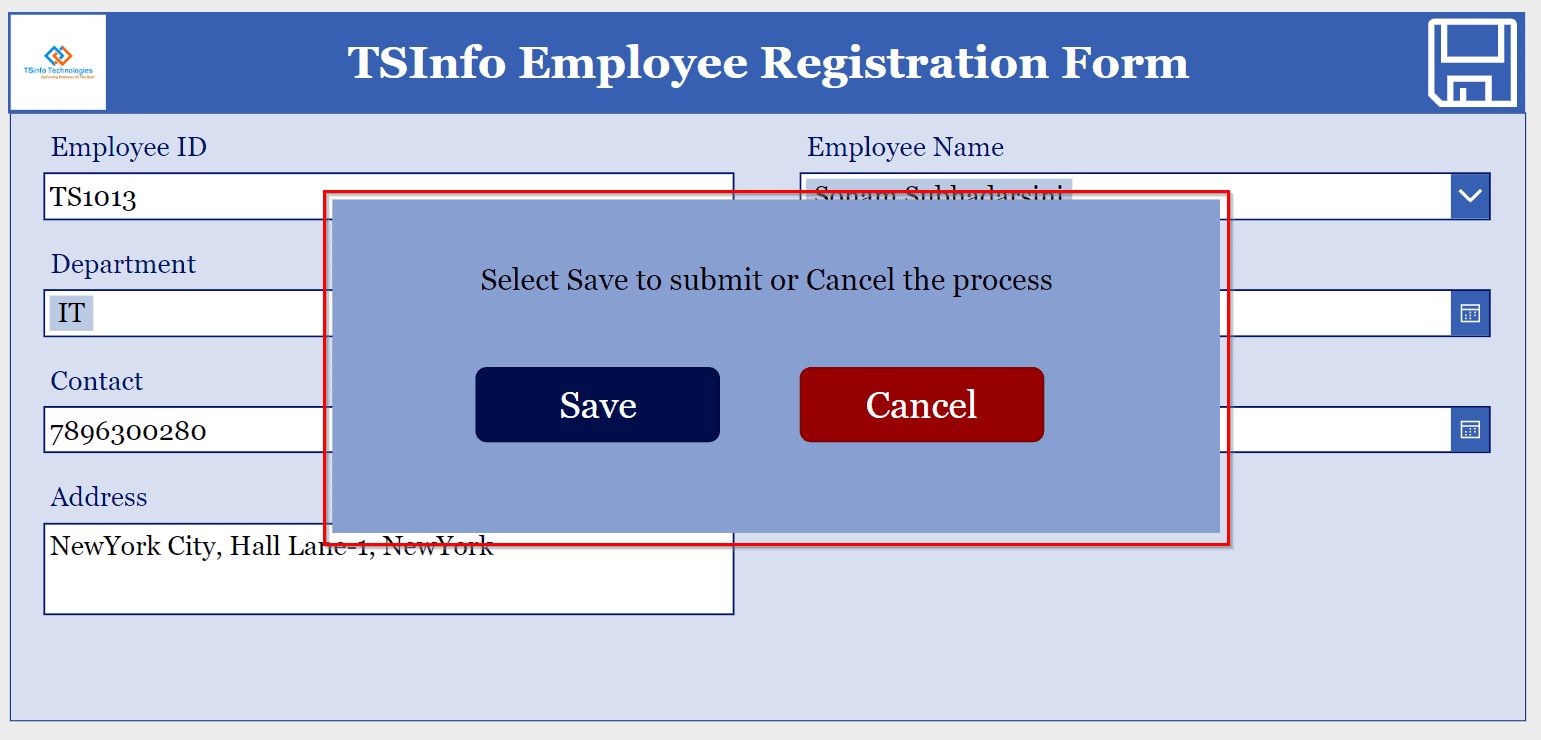
This Power Apps tutorial will go over how to create a dialog box or a pop-up message within the Power Apps. We recently received a request to create a dialog box in PowerApps while working on the Power Apps canvas app. There is a Power Apps employee registration form with a save icon. When the … Read more >>>

How to do group by and calculate sum in Power Apps?

Group by and calculate sum on Power Apps gallery

This Power Apps tutorial will go over how to group data and calculate the sum of those grouped items within Power Apps. We’ll use the PowerApps Groupby() and Sum() functions to group the data and determine the sum of the grouped items. I was recently working in a canvas app in Power Apps, where we … Read more >>>

How to get current date in Power Apps?

Get current date in PowerApps

Working with dates and times, such as formatting dates according to time zone, is currently the most difficult challenge for Power Apps developers. In this Power Apps tutorial, we will discuss how to get current date in Power Apps. To get the current date, we are going to use the different types of date and … Read more >>>

How to calculate sum of gallery items in Power Apps?

How to sum a gallery items in Power Apps

In this Power Apps tutorial, we will discuss how to calculate sum of gallery items in Power Apps. To calculate the sum of the Power Apps gallery items, we are going to use the PowerApps Sum() function. Recently, I was working in a canvas app in Power Apps, where we were displaying items from a … Read more >>>

How to set default value in Power Apps data card?

Power Apps set defaultvalue in Dropdown datacard

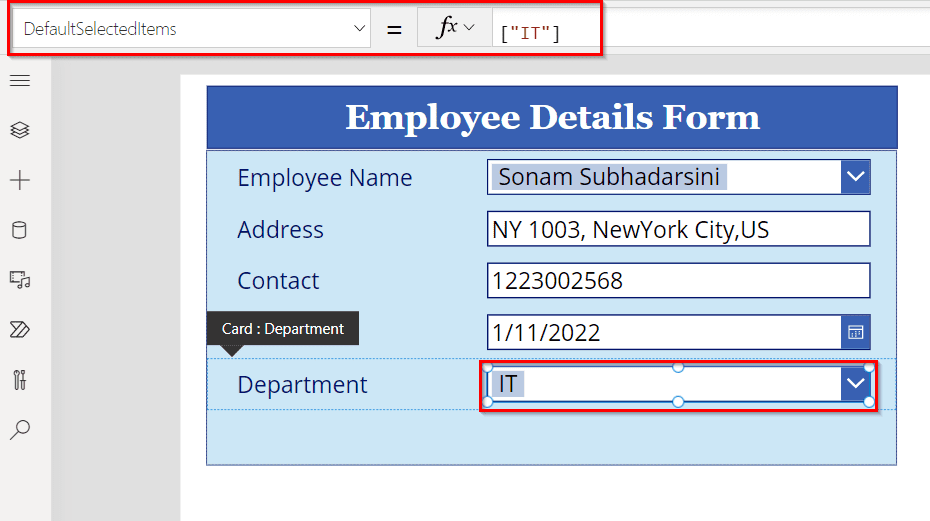
In this Power Apps tutorial, we will discuss how to set a default Data Card value in Power Apps. Recently, I was working with a requirement where I needed to set a default value in the Power Apps DataCard value. Also, we will discuss below topics such as: To achieve this requirement, we will follow … Read more >>>

How to Copy Power Apps Data Card Value To Another?

Copy DataCard fields to another in Power Apps

This Power Apps tutorial will discuss how to copy a Power Apps Data Card to another. Recently, I was working on a requirement where I needed to copy the Power Apps Data Card value to another field. To achieve this need, we will follow the below instructions. Power Apps copy Data Card Value to another … Read more >>>

How to change Power Apps DataCard to dropdown

Convert Power Apps DataCard to Dropdown

This Power Apps tutorial will discuss, how to change a Power Apps Data Card to a dropdown control. Recently, I was working on a requirement where I needed to change Power Apps DataCard to a dropdown. To achieve this need, we will follow the below instructions. Power Apps change DataCard to dropdown Here, we will … Read more >>>

>

Build a High-Performance Project Management Site in SharePoint Online

User registration Power Apps canvas app

DOWNLOAD USER REGISTRATION POWER APPS CANVAS APP

Download a fully functional Power Apps Canvas App (with Power Automate): User Registration App

Power Platform Tutorial FREE PDF Download

FREE Power Platform Tutorial PDF

Download 135 Pages FREE PDF on Microsoft Power Platform Tutorial. Learn Now…