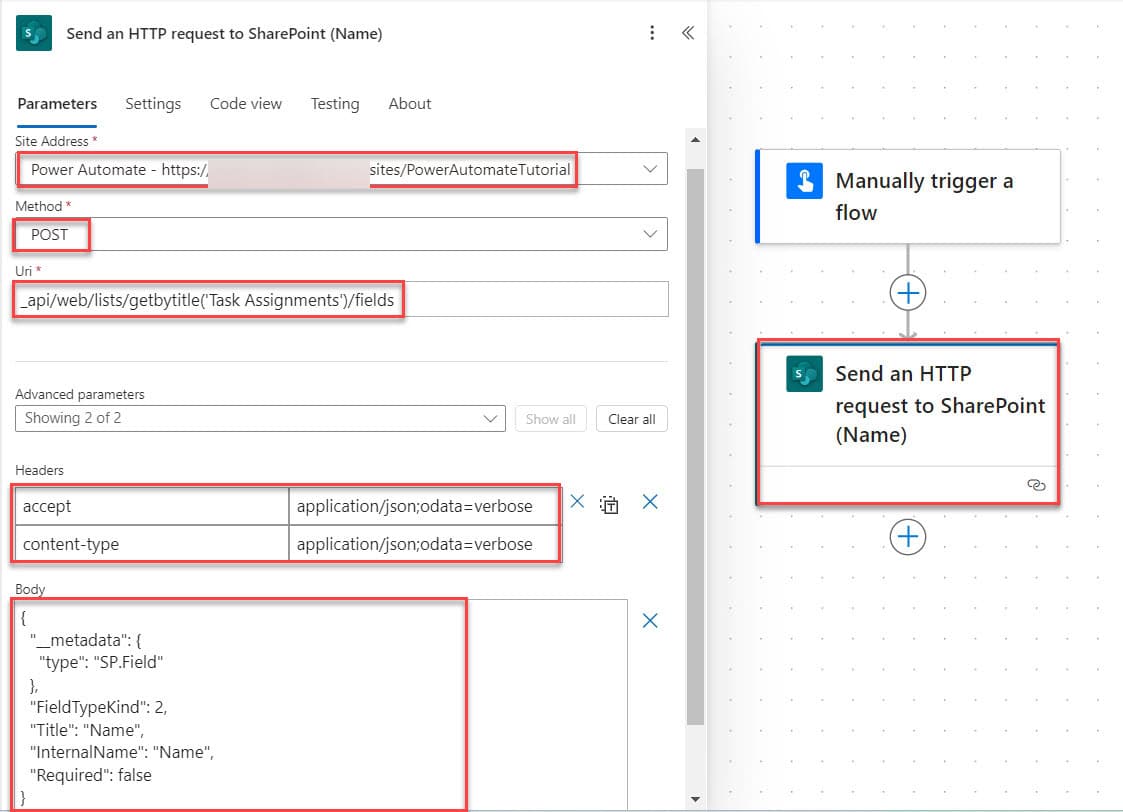
How to Add Comments to SharePoint List Items Using Power Automate?

how to Add Comments to SharePoint List Items in Power Automate

While working on a SharePoint list, you might want to keep track of updates, changes, or feedback on specific items. SharePoint lists have a built-in comments feature, but what if you could automate this process? For example, adding a comment automatically when the status of a task changes. With Power Automate, we can set up … Read more >>>

2 Various Ways to Format Number as Currency in Power Automate

Format Number as Currency in Power Automate

Recently, while working on a Power Automate Flow to Generate a PDF from SharePoint List Items, I encountered a challenge formatting number as currency. The default number formatting didn’t quite meet the requirements, so I researched and found a few practical ways to achieve this. In this tutorial, I will tell you how to format … Read more >>>

Power Automate IF Expression – How to Use

Power Automate if expression equals

In this article, I will explain how the Power Automate IF expression works along with below-mentioned examples: Power Automate IF Function Expression Power Automate If condition is one of the most commonly used expressions in Power Automate flows. The If expression checks whether a given condition is valid. Syntax: Power Automate If Expression Examples Now, I will … Read more >>>

Power Apps Combo Box Vs Dropdown [Know the Differences]

Power Apps Combo Box Vs Dropdown

When using Power Apps controls, it’s important to understand the distinctions between each control type. Likewise, we need to understand the differences between a Dropdown control and a Power Apps Combo box. Both controls are helpful for user-friendly applications. In this Power Apps tutorial, I will explain various major differences between a Power Apps Combo … Read more >>>