How to Get Current User using SharePoint Rest API?

sharepoint rest api get current user

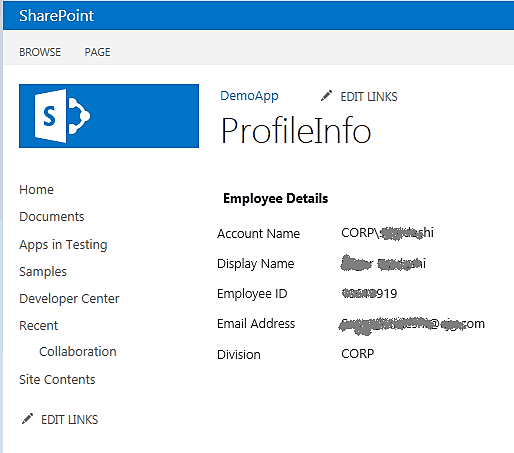
I was working on a SharePoint project, where we were required to retrieve the current user using the REST API in SharePoint. I wanted to retrieve the current username, display name, email address, ID, and other relevant information. If you are new to SharePoint REST API, check out the SharePoint REST API Tutorial and Examples. … Read more >>>

SPFx Accordion Webpart Example

spfx sample accordian example

I recently worked on a SharePoint Framework (SPFx) project for a client where we created an accordion webpart. In this tutorial, I will explain how to create an SPFx Accordion Web Part using sample data with the help of @pnp/spfx-controls-react in the React Framework. Accordions are commonly used for displaying frequently asked questions (FAQs). In … Read more >>>

How to Replace String in JSON using Power Automate

Power Automate Replace a String in JSON

A few days ago, I worked with a client to develop a Project Management system utilizing SharePoint lists, libraries, and site pages. The client requires JSON data for each project, and based on the project status, I want to update the Project priority value: replace ‘Low’ with ‘High’ if the status is ‘In Progress’. In … Read more >>>

Filter Array in Power Automate Examples

Filter array equals in Power Automate

I was recently working on the Filter Array in Power Automate, where we can filter the items in the array by using different types of operators in the Filter Array action. This tutorial explains how to use filter query operators in the Filter Array action of Power Automate. Here we will see the following examples: … Read more >>>

PowerShell SharePoint Commands And Examples

PowerShell SharePoint Commands And Examples

If you are a SharePoint developer, then you should have some expertise in PowerShell. Here, I will demonstrate some PowerShell examples related to SharePoint sites, lists, libraries, groups, etc. This tutorial covers PowerShell SharePoint commands and examples. The commands will work in SharePoint On-premises versions like SharePoint Server. For all PowerShell SharePoint commands, I use … Read more >>>

An Entry Without a Type Name Was Found Rest API

An entry without a type name was found, but no expected type was specified error

Recently, while creating a folder in a SharePoint List using the SharePoint REST API, I encountered the following error: An entry without a type name was found, but no expected type was specified. To allow entries without type information, the expected type must also be specified when the model is specified. You can refer to … Read more >>>

How to Replace Value in an Array in Power Automate

power automate replace value in array

Recently, I have worked with the Leave Approval Process system, which enables employees to submit their requests through Microsoft Forms, and the responses are stored in a SharePoint list. Microsoft Forms has an Email field, where I need to save emails to a SharePoint list. Here, I faced an Issue: The data is coming in … Read more >>>

Power Automate Replace() Function

power automate replace function

As a Power Platform developer, you might be required to use the replace function in Power Automate. This is very common in most real-world use cases. So, I thought to explain the Power Automate replace expression. In this tutorial, I will explain the Power Automate replace() function, focusing on its practical application in real-world examples. … Read more >>>

>

Live Webinar: Quiz Application using SharePoint Framework (SPFx)

Join this free live session and learn how to build a Quiz application using SharePoint Framework (SPFx).

📅 2nd June 2026 – 10:00 AM EST | 7:30 PM IST

Build a High-Performance Project Management Site in SharePoint Online

User registration Power Apps canvas app

DOWNLOAD USER REGISTRATION POWER APPS CANVAS APP

Download a fully functional Power Apps Canvas App (with Power Automate): User Registration App

Power Platform Tutorial FREE PDF Download

FREE Power Platform Tutorial PDF

Download 135 Pages FREE PDF on Microsoft Power Platform Tutorial. Learn Now…