How to work with Power Apps Barcode Reader Control

Power Apps Barcode Reader Control

A Power Apps Barcode Reader control allows scans of barcodes, QR codes, and data matrix codes in Android, iOS, and Windows devices. In this Power Apps Tutorial, we will discuss, what a Power Apps Barcode Reader control is, what are the properties, how to customize this control, and how to use barcode reader control to … Read more >>>
How to Use Power Apps Combo Box Control?

Power Apps combo box custom values

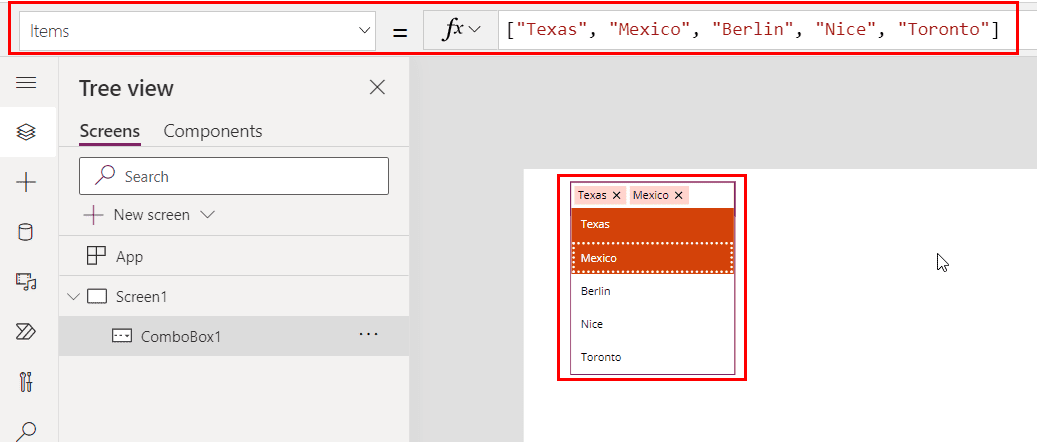
While working with Power Apps forms, we might have some fields where we can select an option from multiple. For those fields, we can use the Power Apps combo box control, which also allows multiple selections. In this article, I will explain everything about Power Apps’ combo box control, from what it is to how … Read more >>>

How to Create PDF From Microsoft Forms Using Power Automate?

How to Create PDF From Microsoft Forms Using Power Automate

Last week, one of my colleagues asked me how to create a PDF from Microsoft Forms responses. They wanted a way to automatically generate a PDF with the submitted data for easy sharing and record-keeping. I explained that with Power Automate Microsoft Forms and OneDrive connectors, you can quickly collect form responses and convert them … Read more >>>

How to Convert a String to an Integer in Power Automate?

Convert a String to an Integer in Power Automate

While working on my Employee Satisfaction Survey app, I faced a challenge with the “Happy At Work” column. This column lets employees rate their satisfaction on a scale of 1 to 10, but the values are stored as strings. I needed to convert these string values to integers to calculate and send an email alert … Read more >>>

How to Convert String to GUID in Power Automate?

Convert String to GUID in Power Automate

While working on an Employee Survey Application, I encountered an interesting challenge. One of the steps in Power Automate required converting a string value, such as an employee’s unique identifier from a form response, into a GUID. If you’ve ever faced a similar requirement in Power Automate, don’t worry—converting a string to a GUID is … Read more >>>

Microsoft Lists vs SharePoint Lists: Key Differences and Use Cases Explained

Microsoft List vs SharePoint List

Microsoft 365 users often wonder about the differences between Microsoft Lists and SharePoint lists. These two tools share many similarities but have some key distinctions. Microsoft Lists is a standalone app within the Microsoft 365 suite, while SharePoint lists are part of SharePoint sites. Microsoft Lists and SharePoint lists let users create, share, and track … Read more >>>

Difference Between OneDrive and SharePoint [Key Features]

Difference Between OneDrive and SharePoint

OneDrive and SharePoint are popular Microsoft 365 tools that help users store and manage files in the cloud. While they may seem similar initially, they serve different purposes and cater to various needs. OneDrive is best for personal file storage and sharing, while SharePoint is ideal for team collaboration and document management. OneDrive gives users … Read more >>>

How to Add Condition Based On Form Response Using Power Automate?

condition based on form response in Power Automate flow

When working on Power Automate, I encounter scenarios where decisions must be made based on user input from a form. Imagine this: you have created a Microsoft Form to collect feedback, and now you want your flow to take different actions depending on how someone responds. Maybe approvals are needed only if someone answers “Yes” … Read more >>>

How to Check if an Item Exists in a SharePoint list Using Power Automate?

check if an item exists in the Sharepoint list using Power Automate

When working with SharePoint lists, duplicate records can become an issue, especially when managing multiple entries like support tickets, employee onboarding, or customer information. These duplicates can lead to confusion and errors in your workflows. To avoid this, we must check if an item exists before creating a new one. In this tutorial, I’ll show … Read more >>>