SharePoint Event Receiver Example

event receivers in sharepoint 2013 examples

SharePoint event receivers help developers automate processes when specific actions occur within the SharePoint environment. These receivers act as listeners that trigger custom code when events happen, such as when items are added to lists, documents are uploaded, or workflows are initiated. Event receivers can be implemented in various on-premises versions of SharePoint. The functionality of event … Read more >>>

JavaScript Client Object Model (JSOM) in SharePoint

JavaScript Client Object Model in SharePoint

If you are a classic SharePoint developer, you must use client object model code. In this tutorial, I will explain how to work with the JavaScript client object model (JSOM) in SharePoint. I will also show SharePoint JSOM examples with the complete script or code. JavaScript Client Object Model (JSOM) in SharePoint The JavaScript Object … Read more >>>

How to Display Modal Pop-ups in SharePoint

How to show modal pop up in SharePoint Online or SharePoint 2016 using client side code?

In this tutorial, we’ll explore how to create modal pop-ups using client-side code in SharePoint. This technique works for both SharePoint Online and SharePoint on-premises versions. We’ll use a script editor web part to insert the client-side code into a SharePoint web part page. Method 1: Display Modal Pop-up on Page Load Here’s the code … Read more >>>

SharePoint JSLink Examples

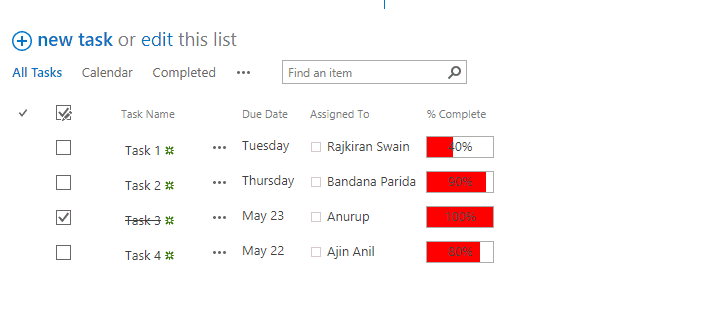
Add JSLink in Task List View in SharePoint

JSLink is a SharePoint feature that provides a powerful way to customize the appearance and behavior of SharePoint list views and forms using client-side scripting. JSLink allows you to: JSLink combines JavaScript, HTML, and CSS elements to customize SharePoint interfaces, giving developers significant control over how data is presented to users. It’s worth noting that … Read more >>>

SharePoint .NET Client Object Model Examples

SharePoint .NET Client Object Model Examples

As a SharePoint developer, you should understand the Client Side Object Model (CSOM). By using CSOM, you can interact with SharePoint sites and data from external applications without direct server access. The SharePoint .NET Client Object Model works consistently across multiple versions, including SharePoint On-Premises and SharePoint Online. What is SharePoint CSOM? SharePoint Client Object Model (CSOM) offers … Read more >>>

SPServices in SharePoint [With Examples]

spservices in sharepoint online

SPServices is a powerful jQuery library that simplifies working with SharePoint’s web services. Created by Marc D Anderson, SPServices has become very helpful for SharePoint developers looking to work with SharePoint without complex server-side code. In this tutorial, I will explain what SPServices is and how it works. I will also show you some examples … Read more >>>

Redirect SharePoint Site To New URL

Redirect User to Success or Error page in SharePoint

You often get requirements to redirect a SharePoint site to a new URL. In this tutorial, I will explain how to redirect a SharePoint page to another page programmatically. The destination page can be a page that exists in the SharePoint site, or it can be an external page. SharePoint Online: Redirect to Another Page … Read more >>>

How to Create and Manage Task List in SharePoint?

Task Management in SharePoint

If your organization has implemented SharePoint Online, you should know how to manage tasks. In SharePoint Online, you can use the Tasks app to manage project tasks. In Microsoft 365, users can also manage task lists in other applications, such as Planner. In this tutorial, I will explain how to create a Task list in … Read more >>>

>

Build a High-Performance Project Management Site in SharePoint Online

User registration Power Apps canvas app

DOWNLOAD USER REGISTRATION POWER APPS CANVAS APP

Download a fully functional Power Apps Canvas App (with Power Automate): User Registration App

Power Platform Tutorial FREE PDF Download

FREE Power Platform Tutorial PDF

Download 135 Pages FREE PDF on Microsoft Power Platform Tutorial. Learn Now…