How to Create an Array From a String Using Power Automate?

convert string to array power automate

When working in Power Automate, you often need to manipulate data to meet your requirements, and strings are no exception. Have you ever had a scenario where you have a long string of values but must treat them as individual items? Recently, I was working with a client, and I needed to create an array … Read more >>>

How to Add Attachments to SharePoint List Items using Power Automate? [5 Different Examples]

how to add attachment in sharepoint list using power automate

When working in Power Automate, one of my team members recently asked how they could automatically add attachments to SharePoint list items. This is a great question because attachments, like documents or images, are often important for SharePoint list items. In this tutorial, I will show you how to add attachments to SharePoint list items … Read more >>>

Easiest Ways to Attach Files to Planner Tasks Using Power Automate

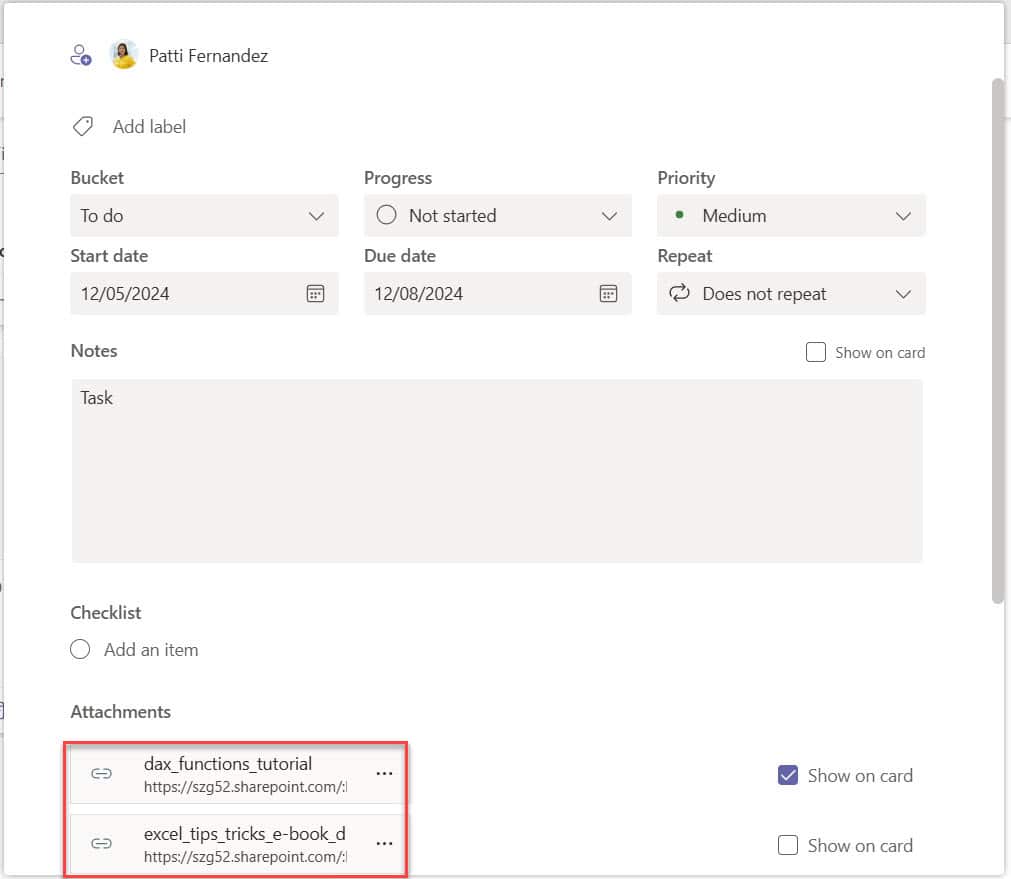
How to Add Multiple Files to a Planner Task using Power Automate

I currently work with a client who wants to simplify their workflow in Microsoft Planner. They needed files automatically attached to tasks whenever specific actions happened, like adding a file to SharePoint. This saved them time and ensured their team had the correct files ready for their tasks. In this tutorial, I will show you … Read more >>>

How to Send Teams Messages Using Power Automate?

Send Teams Messages using Power Automate

I recently worked with a client who needed a way to instantly notify their team about critical updates from their project management system. Instead of relying on emails, they wanted to send targeted Microsoft Teams messages directly to specific team members or channels. To do this in Power Automate, we will use the Post messages … Read more >>>

Create a SharePoint Online Communication Site Using Power Automate [Download Complete Package]

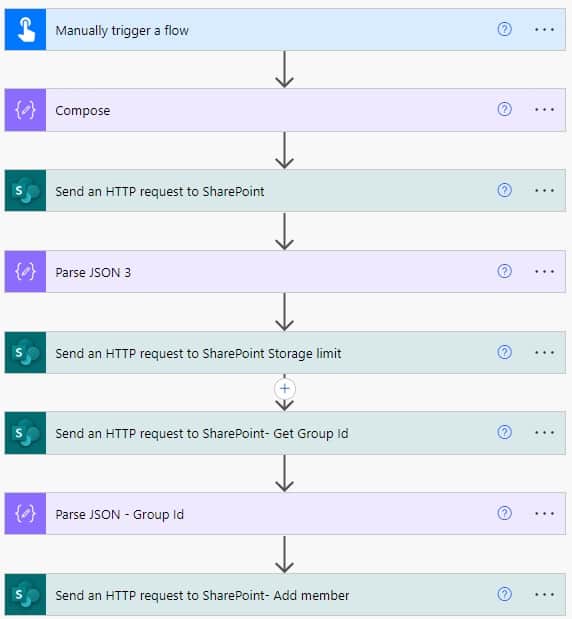
Create a SharePoint Communication site with rest api call in Power automate

Recently, I was working on a client requirement where I needed to create a SharePoint communication site using Power Automate. The client, a large marketing agency, wanted to streamline their process of setting up new project spaces for their clients. They required a solution that would automatically create a Communication Site whenever a new project … Read more >>>

>
SPGUIDES.ACADEMY
LEARN. BUILD. TRANSFORM.
Live FREE Webinar

Build an AI-Powered
Invoice Processing
App

Learn how to build an intelligent invoice processing solution using:

S SharePoint
Power Apps
Power Automate
Copilot Studio
PDF INVOICE
AI
S
From Invoice
to Insights
Invoice Processing ↑ Upload Invoice
INVOICE
TOTAL $1,950.00
Extracted Information
Vendor Name Contoso Ltd.
Invoice Number INV-1001
Invoice Date 09/05/2026
Due Date 09/25/2026
Line Items
Laptop 2 $1,600.00
Mouse 5 $150.00
✓ Save to SharePoint
DATE 22nd September 2026
TIME 10:00 AM EST 7:30 PM IST
DURATION 60 Minutes
🚀 Save Your Free Seat

Live Webinar

SharePoint Integration Power Apps Form With Repeating Table [Invoice Management System]

Learn how to build a real-world Invoice Management System using a SharePoint Integration Power Apps Form with a repeating table—supporting multiple invoice line items.

📅 2nd September 2026 – 10:00 AM EST | 7:30 PM IST

Build a High-Performance Project Management Site in SharePoint Online

User registration Power Apps canvas app

DOWNLOAD USER REGISTRATION POWER APPS CANVAS APP

Download a fully functional Power Apps Canvas App (with Power Automate): User Registration App

Power Platform Tutorial FREE PDF Download

FREE Power Platform Tutorial PDF

Download 135 Pages FREE PDF on Microsoft Power Platform Tutorial. Learn Now…