Power BI vs Power Apps [Complete Comparison]

Power BI vs Power Apps

Microsoft offers two powerful tools to meet these needs: Power BI and Power Apps. While Power BI focuses on data visualization and business intelligence, Power Apps is geared toward custom application development. This article explains the features, use cases, and benefits of Power BI and Power Apps, helping you understand which tool best suits your … Read more >>>

Power Apps Modern Date Picker Control [How to Use]

Power Apps Modern Date picker control

Interested in learning more about Power Apps Modern Date Picker Control? This Power Apps tutorial goes into great detail about Modern Date Picker Control in Power Apps, including all of its key properties and how to use it in a simple application. Additionally, we will learn how to make the Canvas app’s Power Apps Modern Controls … Read more >>>

How to Display SharePoint Person Column in Power Apps Dropdown?

Power Apps bind dropdown items from SharePoint list person column

One of my clients wanted to know if it was possible to show the names of the individuals in a SharePoint Group column and the SharePoint Person column in a Power Apps Dropdown control. However, I researched many articles and found straightforward solutions. We usually display the SharePoint person column in a Power Apps Combo … Read more >>>

How to Set Default Value in Power Apps Dropdown?

powerapps dropdown default value

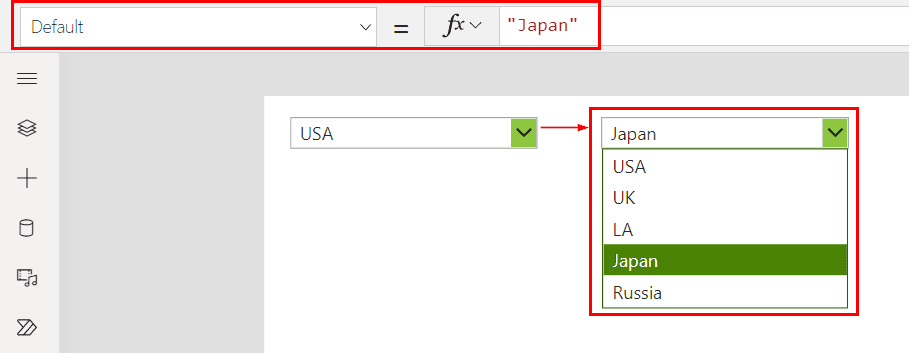
I recently built a Power Apps form where employees can submit their details. Here, I need to set the default value of the employee name dropdown with the current user. In this tutorial, I will explain how to set the default value in the Power Apps Dropdown control manually and from a SharePoint list. Also, … Read more >>>

How to Filter List Box in Power Apps? [With Examples]

Filter Power Apps gallery control based on multiple List box values

In this Power Apps article, I will show you how to filter the list box in Power Apps. Additionally, we will discuss how to filter a gallery with multiple list boxes. In addition, we will learn how to filter items from multiple list box selected values in Power Apps and filter a list box by … Read more >>>

How to Filter Power Apps Gallery By Year?

How to Filter Power Apps Gallery By Current Year

In my recent Power Apps application, I have used a gallery control containing some records from the SharePoint list. I wanted to filter the gallery data by the current and previous years. In this article, I will explain how to filter Power Apps gallery by year, including the current year, the previous year, and the … Read more >>>

How to Filter Power Apps Gallery By Quarter? [With Examples]

Power Apps Filter Gallery By Current Quarter

I recently developed a Power Apps Employee Onboarding application in which all of the filtered quarter details must be displayed in the gallery after it has been filtered out quarterly. In this tutorial, I will show you how to filter Power Apps gallery by quarter, along with the topics below: Filter Power Apps Gallery By … Read more >>>

How to Set Radio Button Default Value in Power Apps?

Set Radio Button Default Value in Power Apps from SharePoint list

Some days before, I was building a Power Apps Leave application form. Inside the form, there is a field called Leave Type that contains various types of leaves such as Sick Leave, Casual Leave, Maternity Leave, etc. All these Leave types I have displayed in a Power Apps Radio button, and I needed to set … Read more >>>