How to filter SharePoint choice field within Power Apps?

Filtering SharePoint choice column with And in Power Apps

This Power Apps tutorial will discuss filtering the SharePoint choice field within the Power Apps. Recently, we got a requirement to filter the SharePoint choice field while working with the Power Apps canvas apps. Additionally, we will discuss how to do filter in the Power Apps based on the SharePoint choice column using AND & … Read more >>>

PowerApps multi-select dropdown

Power Apps multiselect dropdown control

This Power Apps Tutorial will teach you how to create and use a multi-select dropdown within Power Apps. Let us try to understand how PowerApps multi-select dropdown works with an example. Apart from this, we will see how to save data from a Power Apps multi-select dropdown to a data source (i.e., SharePoint or Excel) … Read more >>>

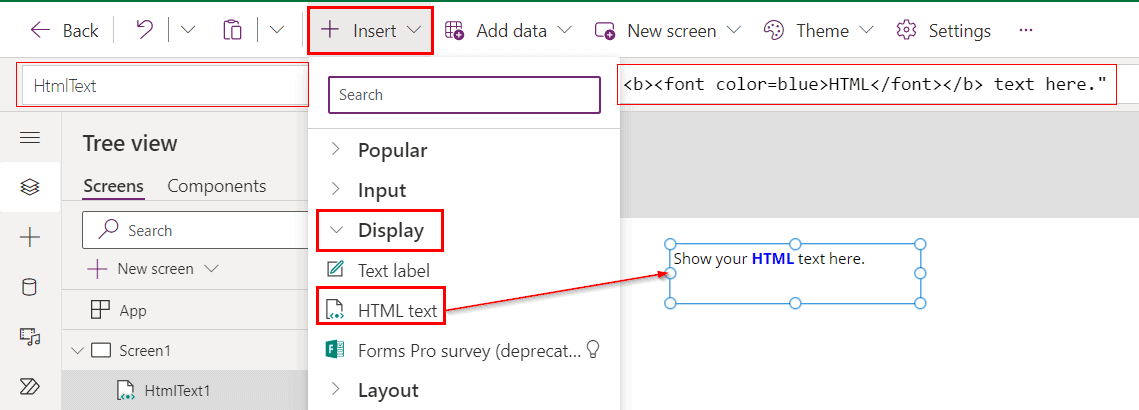
HTML text control in Power Apps

HTML text control in Power Apps

In this Power Apps Tutorial, we will discuss using HTML text control in Power Apps. Recently, we got a requirement to work with the HTML text control while working with the Power Apps. Here, we will see what Power Apps HTML text is and how to use this control in our canvas app. Along with … Read more >>>

Power Apps Get Value Of Choice Field Dataverse

Power Apps Get Value Of Choice Field Dataverse

In this Power Apps Dataverse tutorial, We will discuss Power Apps Get Value Of Choice Field Dataverse. Also, we will cover the topics below: Read: How to Display Dataverse Choices in Power Apps Gallery Power Apps Get Value Of Choice Field Dataverse At first, Power Apps Get Value Of Choice Field Dataverse what does this … Read more >>>

How to Highlight the Selected Item within a Power Apps Gallery?

Highlight the Power Apps selected item

In this Power Apps Tutorial, we will discuss highlighting a selected item within a Power Apps Gallery. We recently received a request to work with the selected items of a Power Apps gallery while using the canvas app. Per our client’s request, they want to highlight the item selected within a Power Apps gallery. Also, … Read more >>>

How to Sort a Power Apps Dropdown Control?

Sort dropdown control in Power Apps

In this Power Apps Tutorial, we will see how to sort a dropdown control in Power Apps. We recently received a request from one of our clients. While working with the Power Apps canvas app, they want to sort the items inside the dropdown control. In detail we will discuss here: Let’s see how to … Read more >>>

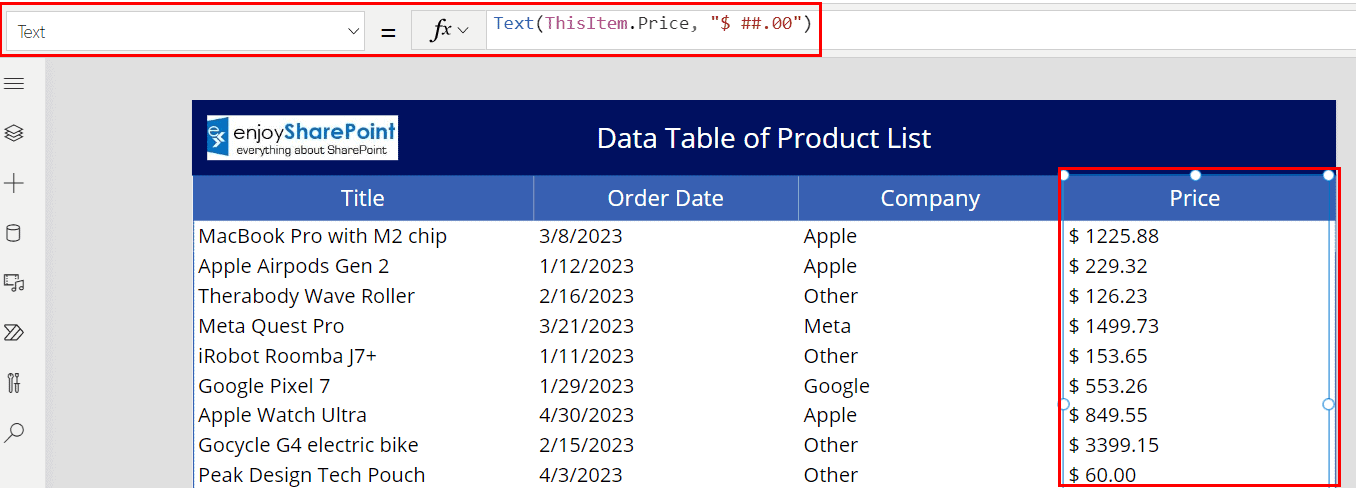
How to format a currency column in Power Apps?

how to format sharepoint currency column in power apps with dollar symbol

In this Power Apps Tutorial, we will discuss how to format the Power Apps currency. Recently, we have been asked by our client to format a SharePoint currency column within the Power Apps while working with the Canvas app. The following step-by-step guide will show you how to format the currency column within the Power … Read more >>>

How to add text input to Power Apps collection?

Add text Input control to the Power Apps collection

In this Power Apps Tutorial, we will learn how to add text input to a Power Apps collection. Recently, we got a requirement to add text from the text input control to a Power Apps collection while working with the Canvas app. Also, we will discuss the below topics based on Power Apps text control: … Read more >>>

How to Select First Item in a Power Apps Gallery

Select First Item in a Power Apps Gallery

In this Power Apps Tutorial, we’ll look at how to select first item in a Power Apps gallery. We were recently asked to create a Power Apps gallery that would select the first item when working with the Power Apps canvas apps. Along with this, we will discuss the below topics based on a select … Read more >>>

How to Get Gallery Item By ID in Power Apps

Power Apps get a gallery item by ID

This Power Apps Tutorial will teach us how to work with how to get gallery item by ID in Power Apps. While working with the Power Apps canvas app, we got a requirement to get the gallery item by their respective ID. Here, we will see how to get an item by their ID within … Read more >>>