
If you work with Microsoft 365 or the Power Platform and want to deliver better solutions for your team, your clients, or your own career in the United States, this is your starting point.
SharePoint, Power Apps, Power Automate, Power BI, SPFx, PowerShell… there are many technologies, and you do not need to master everything on day one. What you need is a clear, role‑based learning path that matches where you are today and where you want to be in the next 6–12 months.
On this page, you will:
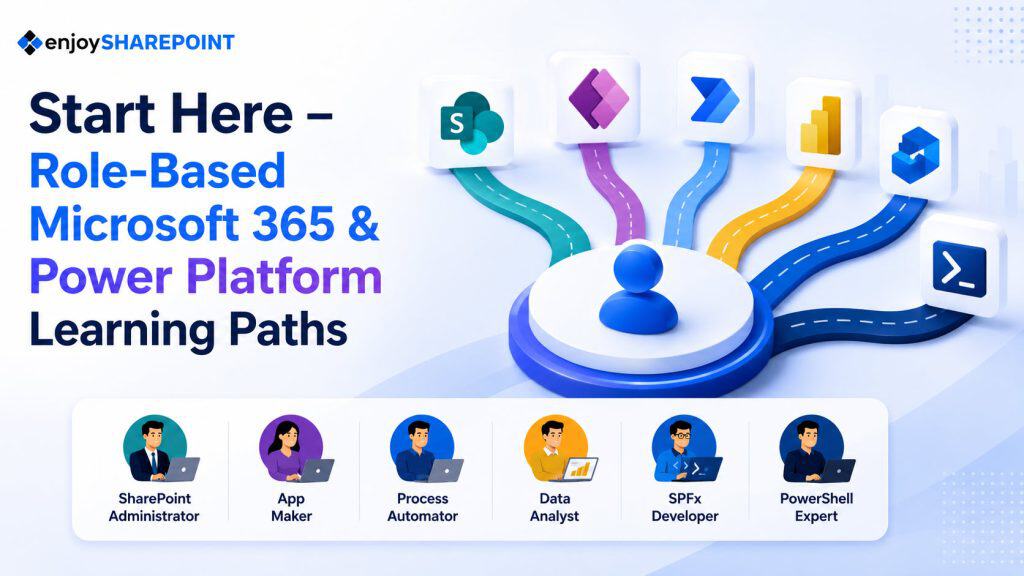
- Choose the role that fits you best: SharePoint Site Owner, SharePoint Developer, Power Platform Developer, Power Apps Developer, SPFx Developer, or PowerShell Automation.
- Understand what that role actually does in real projects inside US organizations.
- Follow a step‑by‑step learning path using our focused tutorial hubs.
- See how to fast‑track your progress with structured training if you want to move faster.
Whether you are already working full‑time, contracting with US clients, or planning your next move, use this page as your orientation guide and keep coming back as you grow.
How to use this Start Here page
- Read through the roles below and pick the one that sounds closest to what you do now (or what you want to do next).
- Click into the recommended hub pages (SharePoint, Power Apps, Power Automate, Power BI, SPFx, PowerShell).
- Follow the path in order, at your own pace.
- When you are ready, come back and add another role path (for example, a SharePoint developer adding Power Apps or Power BI).
You will see a “Fast‑track your learning” section inside each role. Use those if you prefer structured training and guided projects instead of only self‑paced reading.
Role Path 1 – SharePoint Site Owner / Power User
Who this is for
This path is ideal if:
- You own or manage SharePoint team sites, department sites, or project sites.
- You are responsible for documents, lists, and permissions for your team.
- You work in a business function (HR, finance, operations, PMO, etc.) and want to use SharePoint properly, not just “store files somewhere.”
This is a business‑focused role that exists in almost every mid‑size and enterprise organization in the US.
What you actually do
As a SharePoint Site Owner / Power User, you:
- Create and manage team sites and communication sites.
- Structure document libraries, folders, and metadata so people can find content.
- Design lists and views for tasks, issues, requests, and tracking.
- Control who can see or edit which content using permissions.
- Help your team collaborate better with Microsoft 365 tools like Teams and OneDrive.
You do not need to write code, but you do need to understand how SharePoint works.
Step‑by‑step learning path
- SharePoint fundamentals for site owners
- What is SharePoint Online, and how does it fit into Microsoft 365?
- Difference between team sites and communication sites.
- Pages, web parts, lists, libraries, and navigation.
→ Start with: SharePoint Tutorials hub (site basics and navigation sections)
- Document libraries and content management
- Create and configure document libraries.
- Use metadata and views instead of deep folder structures.
- Versioning, check‑in/check‑out, and content approval.
- Simple policies for keeping content clean and consistent.
- Lists, forms, and collaboration
- Use SharePoint lists for tasks, issues, and tracking.
- Customize views to surface the right information.
- Integrate SharePoint with Microsoft Teams for your department.
- Permissions and governance for site owners
- Owners vs members vs visitors.
- SharePoint groups and best practices for granting access.
- Sharing links and external sharing in a safe way.
When you are comfortable with this role, you can start exploring Power Apps and Power Automate to improve your lists and workflows.
Fast‑track your learning – SharePoint Site Owner
If you want to become a confident SharePoint site owner in weeks instead of months, join our SharePoint training where we walk through real scenarios like document management, department sites, project tracking, and permissions, step by step. Check out SharePoint site owner training.
Role Path 2 – SharePoint Developer
Who this is for
This path is for you if:
- You already work with SharePoint or Microsoft 365 and want to go beyond just creating sites and libraries.
- You like solving business problems with technology and want to design complete solutions.
- You work as (or want to grow into) a SharePoint/Microsoft 365 developer, consultant, or solution architect serving US customers.
What you actually do
As a SharePoint Developer, you:
- Design and implement business solutions on top of SharePoint Online.
- Use lists, content types, Power Apps, Power Automate, and sometimes SPFx to meet requirements.
- Integrate SharePoint with other systems (CRM, ERP, HR) where needed.
- Work closely with business stakeholders to turn requirements into working solutions.
You blend configuration, low‑code, and sometimes custom development.
Step‑by‑step learning path
- Deep SharePoint fundamentals
- Site collections, hubs, and information architecture.
- Content types, columns, and list schema design.
- Managed metadata, navigation, and search concepts.
→ Start with: SharePoint Tutorials hub (architecture, lists, metadata)
- Low‑code development with Power Apps and Power Automate
- Customize SharePoint list forms using Power Apps.
- Build approval and notification flows with Power Automate.
- Combine SharePoint + Power Apps + Power Automate for complete solutions.
→ Use: Power Apps Tutorials and Power Automate Tutorials hubs
- Introduce SPFx when you need advanced UI or integration
- Learn when SPFx is necessary (complex UI, custom integrations, special client requirements).
- Build basic SPFx web parts that enhance SharePoint pages.
→ Use: SPFx Tutorials hub
- Add PowerShell for administration and deployment
- Use PowerShell to manage sites, settings, and permissions at scale.
- Support migrations and automation across environments.
→ Use: PowerShell Tutorials hub
This path positions you as a strong SharePoint solution builder who can handle real project demands in US businesses and consulting engagements.
Fast‑track your learning – SharePoint Developer
If your goal is to deliver complete SharePoint solutions for clients or your own company, consider a combined training path that covers SharePoint architecture, Power Apps, Power Automate, SPFx basics, and PowerShell with real project examples. Check out SharePoint developer training and SPFx developer training.
Role Path 3 – Power Platform Developer
Who this is for
This path is for professionals who want to build modern business apps and automations across Microsoft 365:
- Business analysts, operations leads, IT pros, or developers working with US organizations.
- People who want to use low‑code tools to reduce manual work and modernize processes.
What you actually do
As a Power Platform Developer, you:
- Build Power Apps to collect and update data.
- Use Power Automate to orchestrate approvals, notifications, and integrations.
- Use Power BI to visualize results and KPIs.
- Design data models with SharePoint, Dataverse, or other data sources.
- Deliver end‑to‑end solutions that business users actually use.
Step‑by‑step learning path
- Overview of the Power Platform
- Understand Power Apps, Power Automate, Power BI, and Power Pages.
- Learn when to use which component in common business scenarios.
→ Start from your Power Platform overview.
- Power Apps fundamentals
- Canvas apps: screens, controls, galleries, forms, and data connections.
- Build basic apps using SharePoint lists or Excel.
- Learn key formulas like If, Filter, LookUp, Patch.
→ Go to: Power Apps Tutorials hub
- Power Automate for workflows
- Learn triggers and actions for SharePoint, Teams, Outlook, Dataverse, etc.
- Build approval flows, alerting flows, and simple integration workflows.
- Manage error handling, conditions, and parallel branches.
→ Go to: Power Automate Tutorials hub
- Power BI for analytics
- Connect Power BI to your app and flow data.
- Build dashboards and reports that show KPIs for your automated processes.
- Embed Power BI where it adds the most value (SharePoint, Teams, apps).
→ Go to: Power BI Tutorials hub
- Dataverse and advanced topics
- Design tables, relationships, and security in Dataverse.
- Package and move solutions between environments (ALM).
- Work toward more advanced roles and certifications if you want.
This path is highly valuable for US organizations looking to modernize internal processes without building traditional custom apps from scratch.
Fast‑track your learning – Power Platform Developer
If you want a guided journey from beginner to delivering real solutions, join our Power Platform training that combines Power Apps, Power Automate, and Power BI with hands‑on projects like request management, approvals, and dashboards.
Role Path 4 – Power Apps Developer
Who this is for
This path is a focused version of the Power Platform route, ideal if:
- You want to specialize in building apps that business users actually touch every day.
- You enjoy UI, UX, and building smart forms and experiences.
What you actually do
As a Power Apps Developer, you:
- Build canvas apps for desktop and mobile usage.
- Build model‑driven apps when you need structured data and processes.
- Connect to SharePoint, Dataverse, SQL, and other data sources.
- Work closely with business stakeholders to transform manual forms and spreadsheets into apps.
Step‑by‑step learning path
- Canvas app fundamentals
- Learn the designer, screens, controls, and layout patterns.
- Work with galleries and forms to display and edit data.
- Connect to common data sources.
→ Use: Power Apps Tutorials hub.
- App patterns and real‑world scenarios
- Build typical apps (ticketing, leave requests, inspections, issue trackers).
- Handle validation, error messages, and user experience details.
- Design apps that work well on different screen sizes.
- Data design and Dataverse
- Understand data modeling basics.
- Move from SharePoint lists and Excel to Dataverse when needed.
- Build model‑driven apps for more complex scenarios.
- Integration and lifecycle
- Trigger Power Automate flows from apps.
- Work with environments, solutions, and simple ALM.
Fast‑track your learning – Power Apps Developer
If you want to build a portfolio of real Power Apps that you can show to employers or clients, follow a dedicated Power Apps training path with hands‑on projects and best practices.
Role Path 5 – SharePoint Framework (SPFx) Developer
Who this is for
This path is for web developers and front‑end engineers who:
- Are comfortable with JavaScript/TypeScript, React, and modern tooling.
- Want to build deeply customized SharePoint Online solutions for enterprise clients.
What you actually do
As an SPFx Developer, you:
- Build custom web parts and extensions for SharePoint Online.
- Integrate with Microsoft Graph, REST APIs, and external systems.
- Deliver highly tailored user experiences on SharePoint pages.
- Work on complex intranets, portals, and line‑of‑business applications.
Step‑by‑step learning path
- Prerequisites and environment setup
- HTML, CSS, JavaScript/TypeScript basics.
- Node.js, npm, Git, and Visual Studio Code.
- SPFx development environment preparation.
- SPFx fundamentals
- Create your first SPFx web part.
- Understand the project structure, build process, and deployment concepts.
→ Go to: SPFx Tutorials hub
- Real solutions with React and Fluent UI
- Build web parts using React and Fluent UI components.
- Handle state, props, and data fetching.
- Implement client‑side logic and integration patterns.
- Extensions, Graph, and enterprise patterns
- Build Application Customizers and Command Sets.
- Integrate with Microsoft Graph and external APIs.
- Apply security, performance, and deployment best practices.
Fast‑track your learning – SPFx Developer
If you want to quickly become productive as an SPFx developer on real enterprise projects, join an SPFx training that walks from fundamentals through advanced patterns, deployment, and governance.
Role Path 6 – PowerShell for Microsoft 365 Admins and Developers
Who this is for
This path is for:
- Microsoft 365 and SharePoint administrators.
- IT pros, DevOps engineers, and developers managing tenants and environments.
- Anyone who needs to handle repetitive tasks across users, sites, and services.
What you actually do
With PowerShell in the Microsoft 365 space, you:
- Manage users, groups, and licenses at scale.
- Configure and audit SharePoint Online and Teams settings.
- Automate provisioning and cleanup of sites, lists, and content.
- Support deployments, migrations, and governance tasks.
Step‑by‑step learning path
- PowerShell fundamentals
- Learn the PowerShell console, cmdlets, and scripting basics.
- Work with variables, pipelines, and simple scripts.
- Connect to Microsoft 365 and SharePoint Online
- Use PowerShell modules for Microsoft 365.
- Authenticate securely and connect to your tenant.
- Run basic admin tasks from scripts.
→ Go to: PowerShell Tutorials hub
- Automation scenarios
- Bulk create or update sites, lists, and users.
- Report on permissions, sharing links, and usage.
- Implement recurring maintenance tasks.
- Advanced scripting and automation
- Use scheduled jobs or Azure Automation.
- Integrate PowerShell with CI/CD and deployment processes.
Fast‑track your learning – PowerShell
If you want to move quickly from “I run individual commands” to “I automate complete admin scenarios,” follow a PowerShell for Microsoft 365 training that focuses on real scripts and real admin problems.
Not sure where to start?
If you are unsure which path to choose, use this quick guide:
- You manage sites, documents, or team content → Start with SharePoint Site Owner / Power User.
- You already work with SharePoint and want to build solutions → Start with SharePoint Developer.
- You want to automate processes and build low‑code apps → Start with Power Platform Developer or Power Apps Developer.
- You are a front‑end/web developer → Start with SPFx Developer.
- You are an admin or IT pro managing Microsoft 365 → Start with PowerShell (and optionally SharePoint Developer).
You can always combine paths over time. Many senior Microsoft 365 professionals have a mix of SharePoint, Power Platform, SPFx, and PowerShell skills.
Your next step
- Pick the role that best reflects your current work or your next goal.
- Click into the corresponding tutorial hub (SharePoint, Power Apps, Power Automate, Power BI, SPFx, or PowerShell).
- Bookmark both this Start Here page and your chosen hub.
- When you are ready to move faster, explore the Fast‑track your learning options for structured training.
You now have a clear, role‑based path to grow your Microsoft 365 and Power Platform skills and deliver more value in your current job, for your US‑based team, or for your consulting clients.
Frequently Asked Questions
I’m already a SharePoint admin or developer. Is this Start Here page still useful for me?
Yes. If you already work with SharePoint, use this page to see how your skills map to the SharePoint Developer and Power Platform Developer role paths. You can identify gaps (for example, SPFx, Power Apps, or Power Automate) and then jump directly into the relevant hubs to deepen those areas instead of starting from scratch.
What’s the difference between the SharePoint Developer and Power Platform Developer paths?
The SharePoint Developer path focuses on SharePoint architecture, lists and libraries, information structure, SPFx (when needed), and governance, with Power Apps/Power Automate used primarily around SharePoint. The Power Platform Developer path is broader and app‑centric: it focuses on building solutions with Power Apps, Power Automate, and Power BI across Microsoft 365 and Dataverse, where SharePoint is one of several possible data sources.
I work with US‑based clients. Which path should I follow first?
If your projects are mostly intranets, document management, and SharePoint‑centric solutions, start with the SharePoint Developer path and then add Power Platform skills. If your work is more about automating business processes, building internal apps, and delivering dashboards for US customers, start with the Power Platform Developer path and then add SharePoint and SPFx as needed.
Can I realistically grow into both SharePoint Developer and Power Platform Developer roles?
Absolutely. In many US organizations and consulting projects, the strongest Microsoft 365 professionals work across both areas. A common progression is: SharePoint Developer → add Power Apps and Power Automate → add Power BI and Dataverse → effectively operate as a Power Platform + SharePoint solution developer who can handle end‑to‑end solutions.
How should I use your training if I’m already mid‑career?
If you already have experience, you don’t need to follow every tutorial. Instead, scan the Start Here page, pick the SharePoint Developer or Power Platform Developer path, and then use the trainings to quickly fill missing skills—such as SPFx, complex approvals, Dataverse, or enterprise‑grade dashboard design—so you can deliver bigger, more complex solutions for your teams or clients.

